- Home
- About us
- Products
- for Siemens
- Agricultural Terminal
- for A-B-B
- Advantech
- Allen Bradley
- AMTouch
- B&R Power Panel
- BECKHOFF HMI operator Repair
- Beijer HMI
- Bosch Rexroth
- Danielson Touch Screen Replacement
- Delem
- Delta
- DMC
- EATON Micro Panel
- ELO Touch Screen Panel
- ESA HMI
- Exor UniOP
- EZ Automation
- Fagor
- Fuji Hakko
- GE Fanuc
- GUNZE Touch Panel
- IDEC
- Koyo
- KUKA SmartPAD
- Lenze
- Microtouch 3M Versatouch touch screen
- Mitsubishi
- Omron
- Panasonic
- Parker
- Proface
- Red Lion
- Robotic Controller
- Schneider
- Sigmatek HMI
- Ventilator Parts
- Weinview
- Other Terminal Brand
- HMI Touch Screen Panel
- Touch Panel Screen Suppliers
- Touch Screen Panel supplier
- Auxiliary Accessories
- LCD Display
- test11
- Faqs
- News
- Certificate
- Contact us
Allen Bradley PanelView Plus 400 Troubleshooting and Common Issues: Complete Expert Guide
Allen Bradley PanelView Plus 400 Troubleshooting and Common Issues: Complete Expert Guide
Published: July 2026 | By VICPAS Technical Support Team
Table of Contents
- Most Common Issues
- 1. Random Button / Touchscreen Failures
- 2. Startup Errors and Boot Failures
- 3. Numeric Display Errors (???? or ####)
- 4. CIP Connection and Communication Faults
- 5. Firmware Corruption and Update Issues
- PanelView Plus 400 Error Code Quick Reference
- Why Choose VICPAS for Your PanelView Plus 400 Needs?
- References
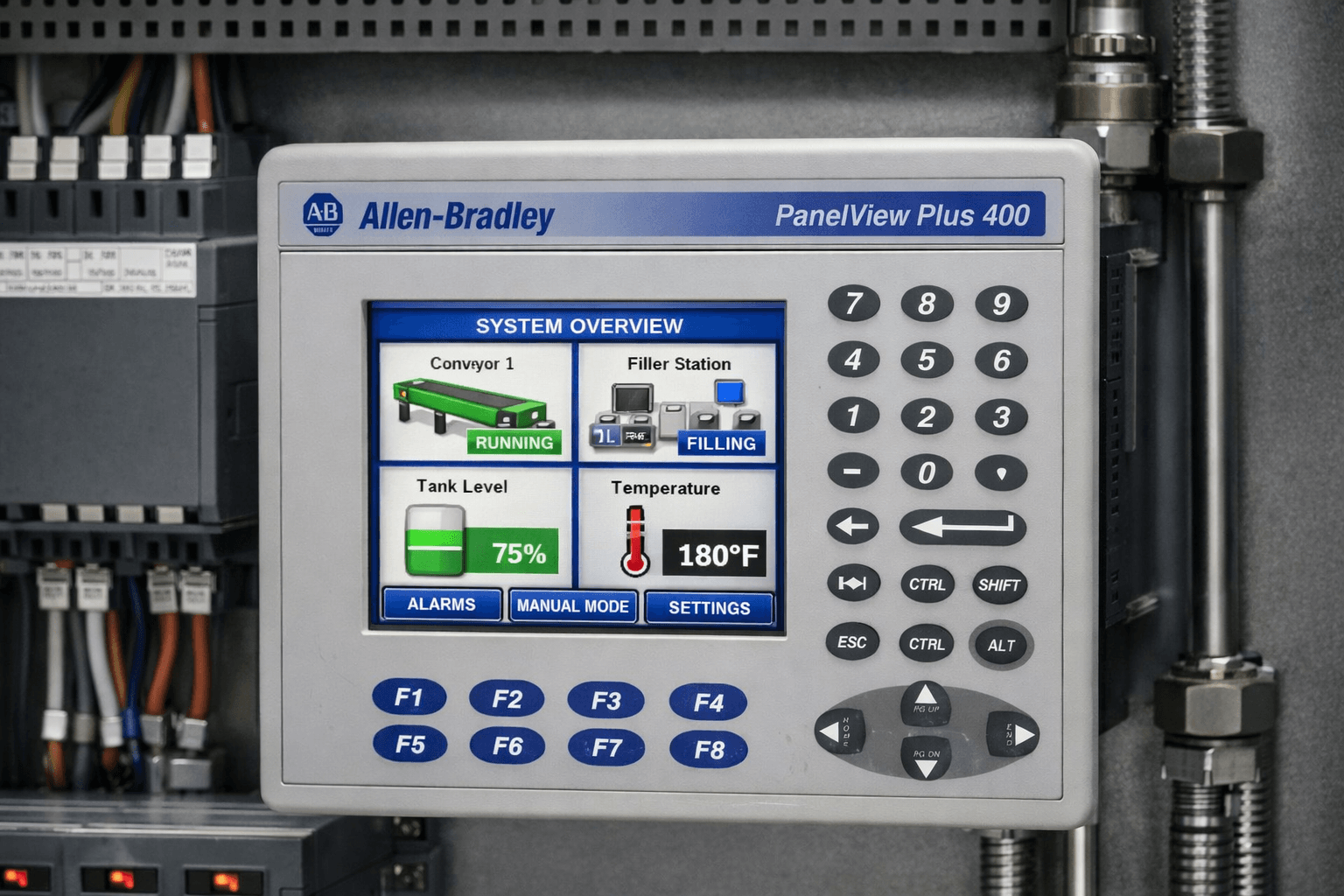
The Allen Bradley PanelView Plus 400 is a reliable compact HMI widely used in industrial automation. However, like any industrial equipment, it can encounter issues such as touchscreen problems, firmware errors, communication faults, and startup failures. This comprehensive guide covers the most common Allen Bradley PanelView Plus 400 troubleshooting scenarios, drawing from official Rockwell Automation documentation and real-world field experience.
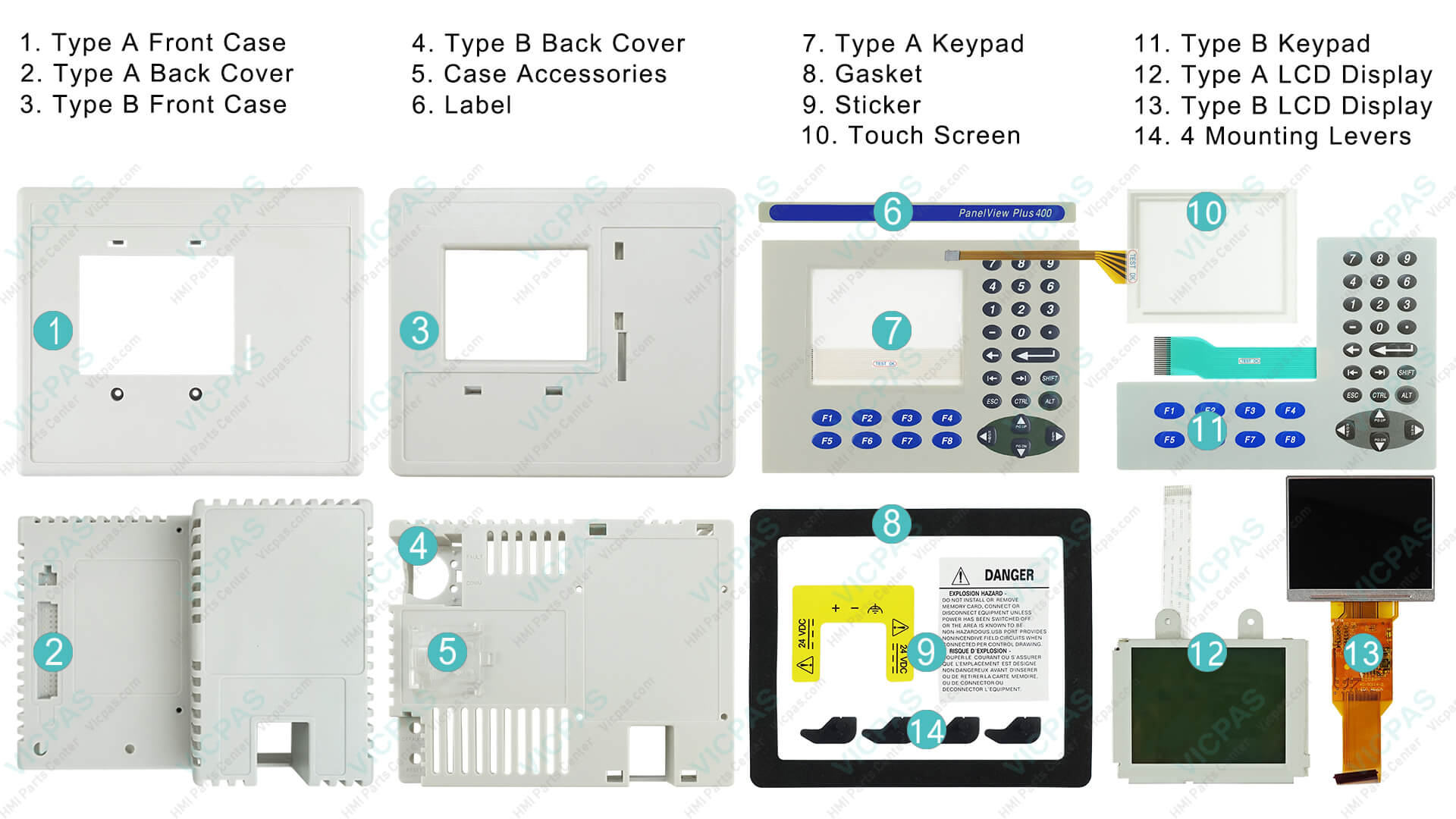
At VICPAS, we specialize in providing high-quality replacement parts, repair services, and technical support for Allen Bradley PanelView Plus series, including the PanelView Plus 400. Whether you need a new touchscreen, keypad overlay, or a complete unit, explore our PanelView Plus 400 products.
Most Common Allen Bradley PanelView Plus 400 Issues
1. Random Button / Touchscreen Failures
Root Causes:
- Firmware corruption or outdated versions (especially prior to v3.10 for Series A or v6.10+ for Series C)
- Touchscreen calibration drift over prolonged use
- CompactFlash (CF) card failure, bad sectors, or file system corruption
- Insufficient power supply voltage (below 21.6V DC under load)
- Hardware wear on the internal Elo touch controller due to thermal cycling
- Runtime application (.MER file) corruption during download or operation
Detailed Troubleshooting Steps:
- Verify power supply: Measure 24V DC ±10% at terminals under load.
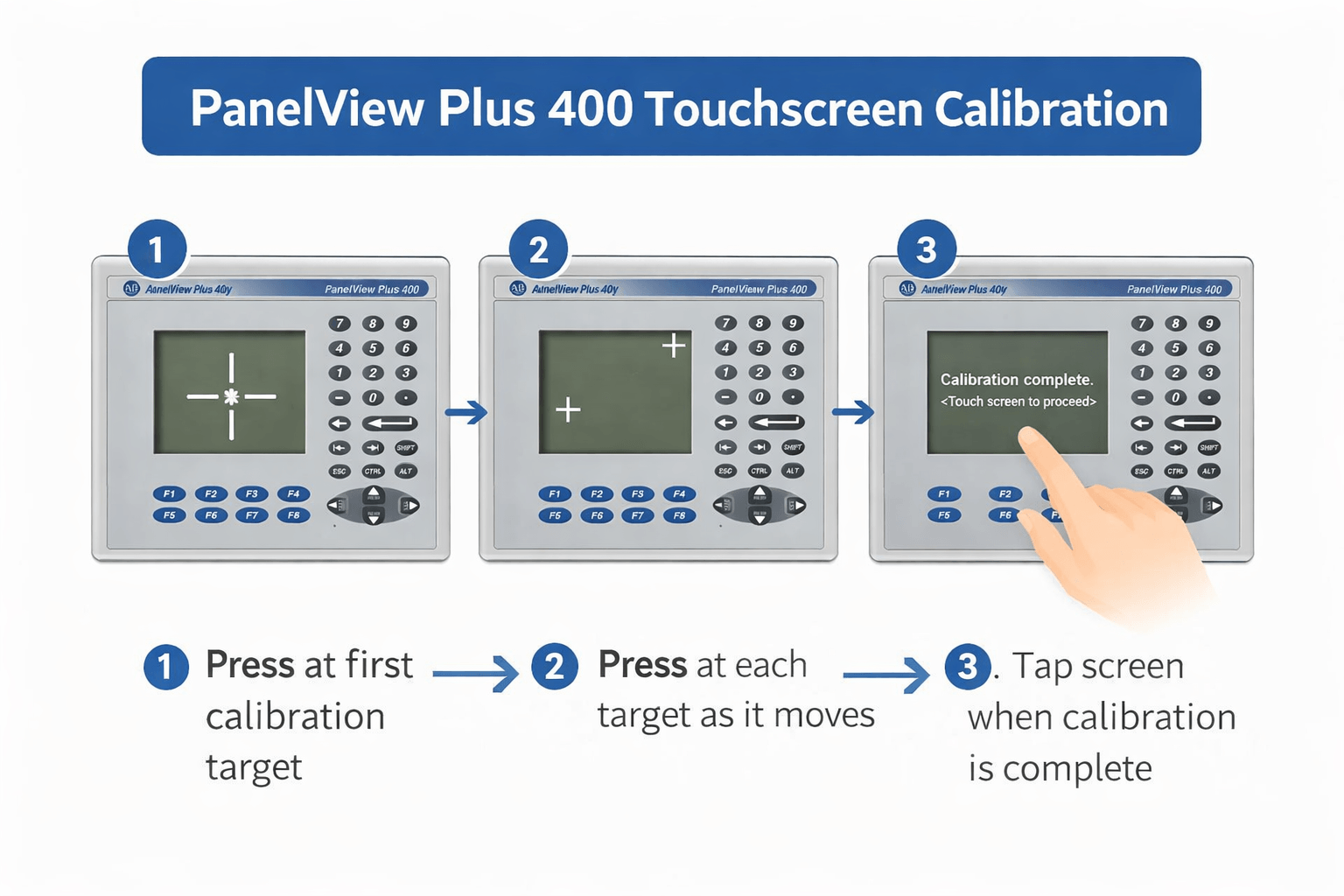
- Recalibrate touchscreen: Boot while holding upper-left corner, enter Terminal Settings (password 111111), perform 5-point calibration.
- Update firmware to the latest compatible version.
- Replace CF card if corruption is suspected.
2. Startup Errors and Boot Failures
Many users experience the terminal freezing at startup, displaying error codes, or failing to boot past the splash screen.
Common Error Indicators (from Rockwell manuals):
- RAM Test failures
- Firmware download or CRC check errors
- Stuck key / Stuck touch errors
- LED status: Blinking red (recoverable) or solid red (fatal)
Recovery Methods:
- Perform factory reset via Maintenance Menu (white box indicator).
- Use BootP/DHCP for firmware recovery over Ethernet.
- Reload .MER runtime application.
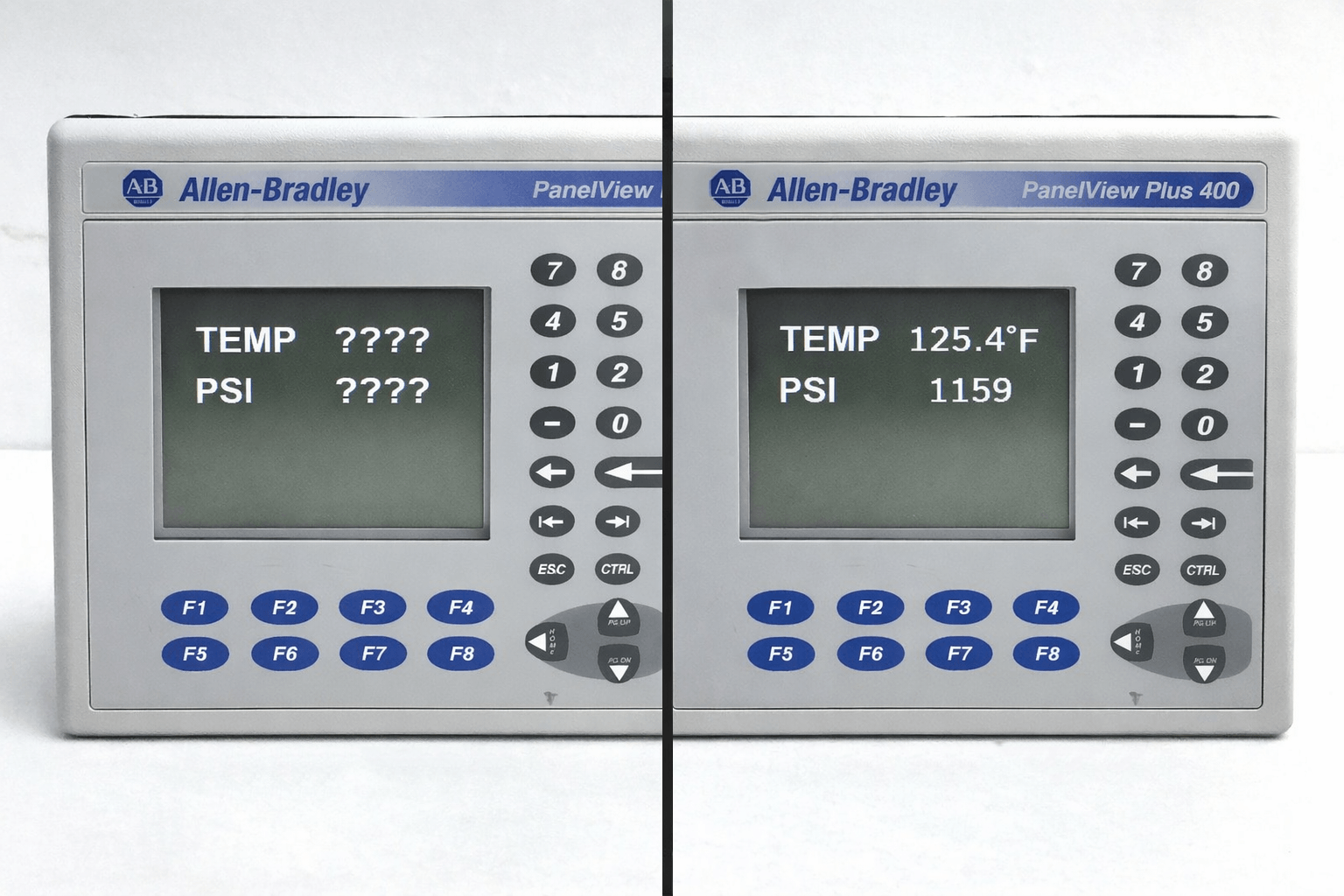
3. Numeric Display Errors (???? or ####)
Question marks or hash symbols in numeric displays often indicate tag addressing problems, communication loss, or object sizing issues.
Fixes:
- Validate tag paths and expressions in FactoryTalk View ME.
- Check PLC communication (DF1, EtherNet/IP).
- Resize display objects or adjust decimal places.
4. CIP Connection and Communication Faults
CIP Connection Lost errors are common with EtherNet/IP setups.
Troubleshooting:
- Verify cables (use CAT5e+), IP addresses, and subnet matching.
- Isolate network issues with direct crossover cable test.
- Check for network congestion or switch configuration.
5. Firmware Corruption and Update Issues
Power loss during updates often leads to "Corrupt Firmware" messages and boot loops.
Recovery: Use RSLinx BootP utility or FactoryTalk View ME for safe firmware restoration. Always ensure stable power during updates.
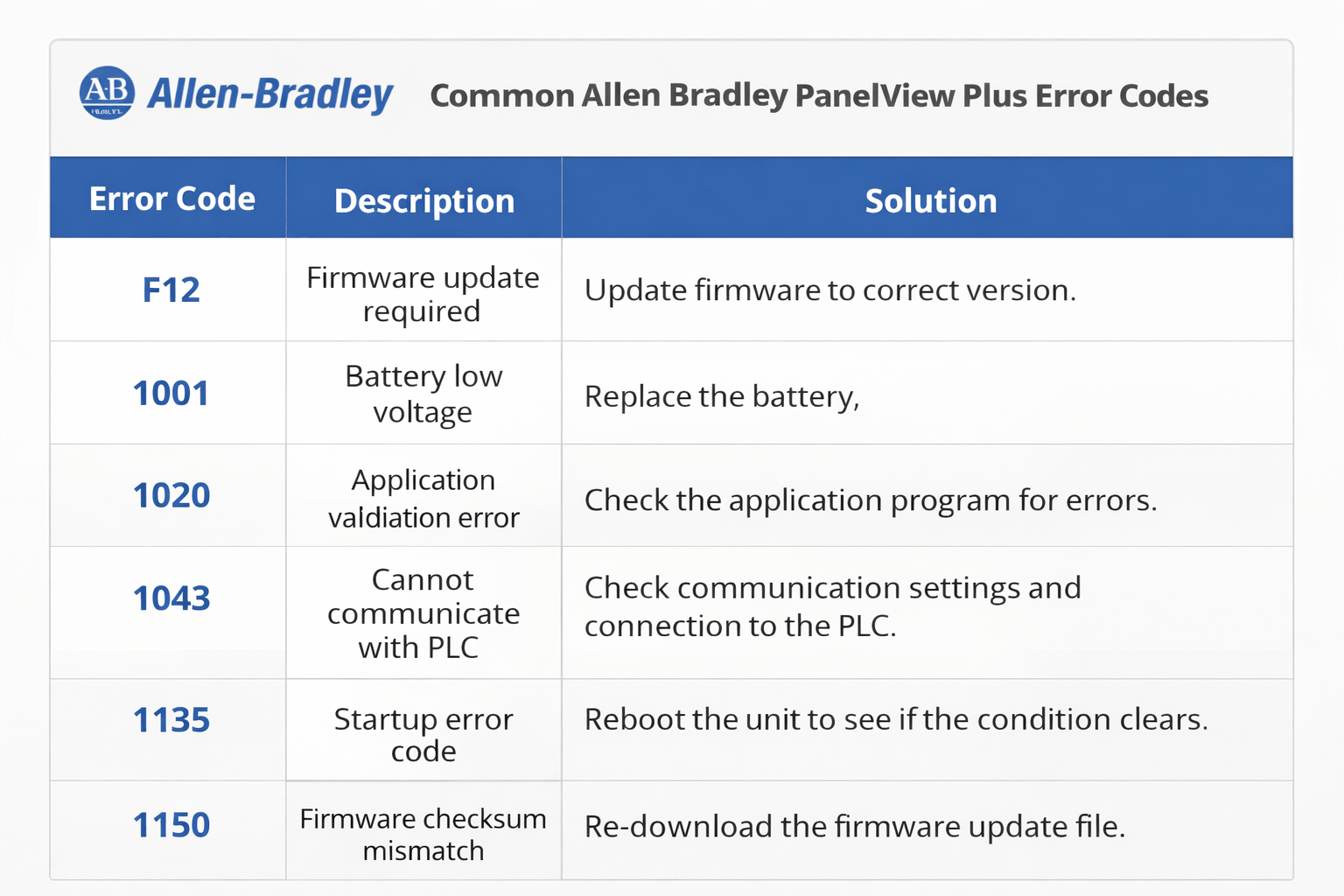
PanelView Plus 400 Error Code Quick Reference
Refer to official Rockwell resources for full lists. Common codes include RAM Test (1), Stuck Touch (31.5), and firmware-related errors. VICPAS technicians are familiar with these and can guide repairs or replacements.
Why Choose VICPAS for Your PanelView Plus 400 Needs?
VICPAS is a trusted global supplier of industrial automation components with years of expertise in Allen Bradley HMI parts. We offer:
- High-quality replacement touchscreens, keypads, and displays for PanelView Plus 400
- Competitive pricing and fast worldwide delivery
- Expert technical support for troubleshooting and repairs
- Compatible, rigorously tested parts that meet or exceed OEM standards
Explore our full range: Allen Bradley PanelView Plus 400 Parts
Need Help with Your PanelView Plus 400?
Contact VICPAS Today →