
- Home
- About us
- Products
- for Siemens
- Agricultural Terminal
- for A-B-B
- Advantech
- Allen Bradley
- AMTouch
- B&R Power Panel
- BECKHOFF HMI operator Repair
- Beijer HMI
- Bosch Rexroth
- Danielson Touch Screen Replacement
- Delem
- Delta
- DMC
- EATON Micro Panel
- ELO Touch Screen Panel
- ESA HMI
- Exor UniOP
- EZ Automation
- Fagor
- Fuji Hakko
- GE Fanuc
- GUNZE Touch Panel
- IDEC
- Koyo
- KUKA SmartPAD
- Lenze
- Microtouch 3M Versatouch touch screen
- Mitsubishi
- Omron
- Panasonic
- Parker
- Proface
- Red Lion
- Robotic Controller
- Schneider
- Sigmatek HMI
- Ventilator Parts
- Weinview
- Other Terminal Brand
- HMI Touch Screen Panel
- Touch Panel Screen Suppliers
- Touch Screen Panel supplier
- Auxiliary Accessories
- LCD Display
- test11
- Faqs
- News
- Certificate
- Contact us
Omron NS10 Troubleshooting, Repair, and Common Faults: Complete Expert Guide
Omron NS10 Troubleshooting, Repair, and Common Faults: Complete Expert Guide
Table of Contents
The Omron NS10 is a reliable 10.4-inch TFT HMI widely used in industrial automation for machine control, monitoring, and operator interfaces. Like any long-serving panel, it can develop issues over time—file system errors, unresponsive touch zones, communication failures, backlight problems, or boot loops. This guide consolidates practical troubleshooting steps drawn from official Omron documentation, technical recovery procedures, and real-world user experiences to help you diagnose and resolve the most frequent Omron NS10 problems quickly.
Whether you maintain a single machine or an entire production line, understanding these common faults can reduce downtime significantly. When hardware replacement becomes necessary, high-quality compatible parts from specialized suppliers such as VICPAS ensure your system returns to full operation with minimal delay.
Common Omron NS10 Faults and Quick Diagnosis
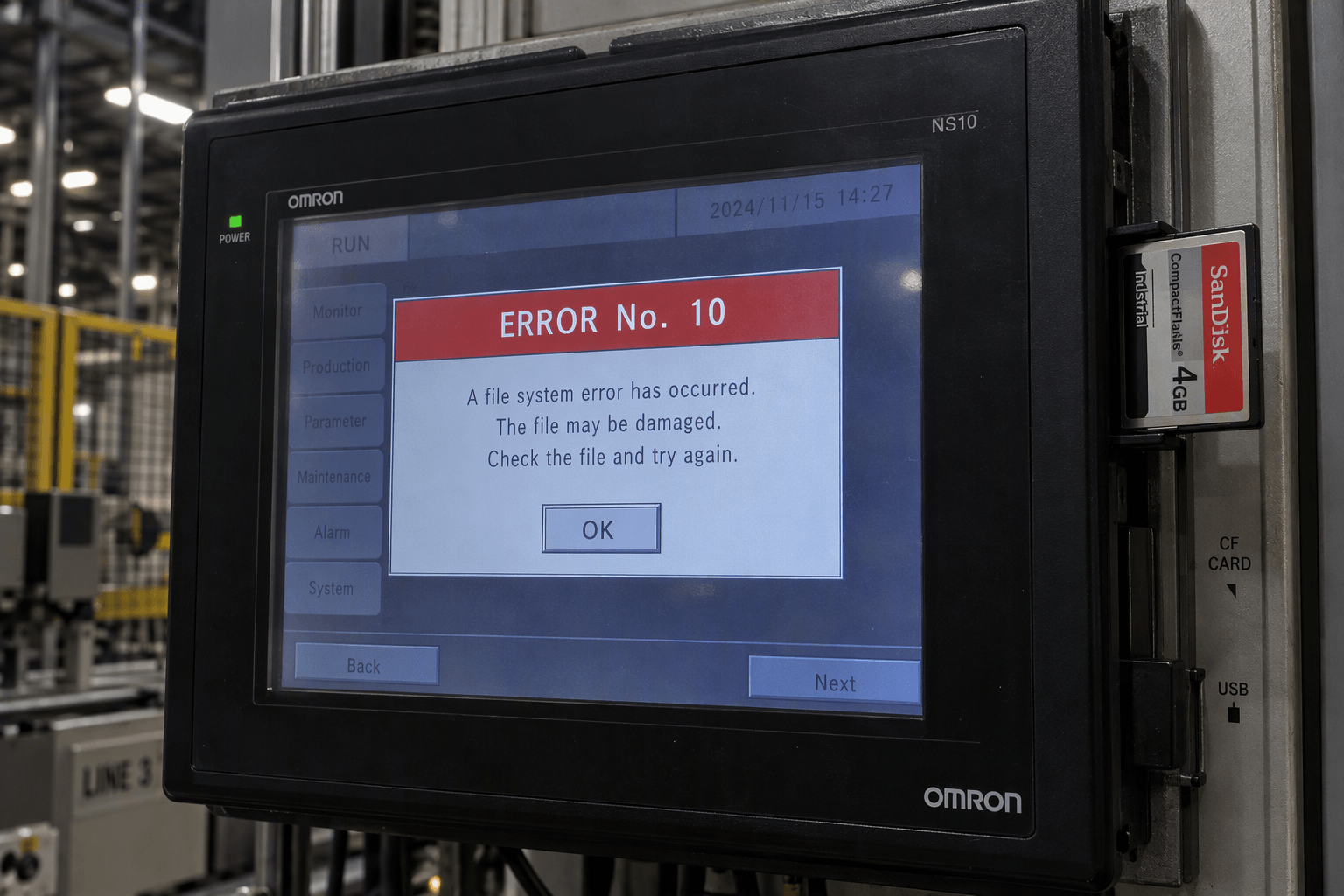
1. ERROR No. 10 – File System Error / System Program Corruption
One of the most reported issues. The screen displays “ERROR No. 10: File System Error: Please recover the system program.”
Typical causes
- Sudden power loss during file write operations
- Incorrectly formatted CompactFlash (CF) cards (Windows default FAT32 is incompatible; NS-series requires FAT16)
- Electromagnetic interference, electrostatic discharge, or physical damage to the CF card slot
- Accidental system program overwrite
Recovery steps
- Prepare a CF card (≥50 MB) formatted to FAT16.
- Copy the recovery files (RecoverUpdate or system program Ver. 8.x) from CX-Designer installation directory or official Omron sources onto the card.
- Insert the card into the NS10, power cycle the unit, and select Clean Installation mode when prompted.
- After recovery, re-download your project data.
If recovery fails repeatedly, the internal memory or CF slot may be damaged and require professional repair or board-level service.
2. Touch Screen Dead Zones or Partial Unresponsiveness
Buttons change color but do not activate, or entire areas (often bottom rows) stop responding.
Diagnosis
- Enter System Menu by simultaneously pressing opposite corners of the screen for several seconds.
- Run Touch Panel Check and Touch Calibration.
- Verify PLC visibility conditions or interlocks that may disable objects.
- Inspect for physical wear, scratches, or membrane degradation (common after high usage).
Temporary workarounds
- Enable USB mouse support (available in later firmware) and connect a mouse.
- Relocate critical buttons to functional screen areas in CX-Designer and re-download the project.
Permanent solution usually involves replacing the touch panel glass or complete front assembly.
3. Persistent “Connecting…” Message
The HMI shows “Connecting” in the corner and fails to establish host communication.
Root cause
Protocol mismatch—most often the PLC Host Link port is set to Host Link mode while the NS10 expects NT Link (1:N).
Fix
- In CX-Programmer, change PLC Host Link Port settings to NT Link (1:N) and matching baud rate (usually 9600).
- Confirm NS-Designer project settings for Serial Port A: Protocol = NT Link (1:N).
- Verify DIP switch configuration on the communication board if used.
- Power cycle both devices after transferring settings.
4. Boot Loop or Continuous Restart
The panel repeatedly restarts, often stopping at the FINS Gateway stage. This frequently occurs after incorrect communication port settings (e.g., both ports set to NT Link). Removing the backup battery may not resolve it; a CF-card system recovery (as described for Error 10) is usually required to restore factory defaults.
5. Backlight Failure, Dim Display, or No Power
Screen is dark or very dim while power LED may still light. Common causes include aging backlight inverter, LCD degradation (typical life ~50,000 hours), unstable 24 VDC supply outside the 20.4–27.6 V range, or power board component failure. Always measure supply voltage under load first.
6. Flash Card Data Logging Failures (SB47 Flag)
Intermittent save errors when writing to CF card. Non-Omron or oversized cards, oxidation on contacts, or bad sectors are frequent culprits. Use quality SanDisk or Omron-compatible cards and re-seat the card to restore temporary function.
When to Repair vs. Replace Parts
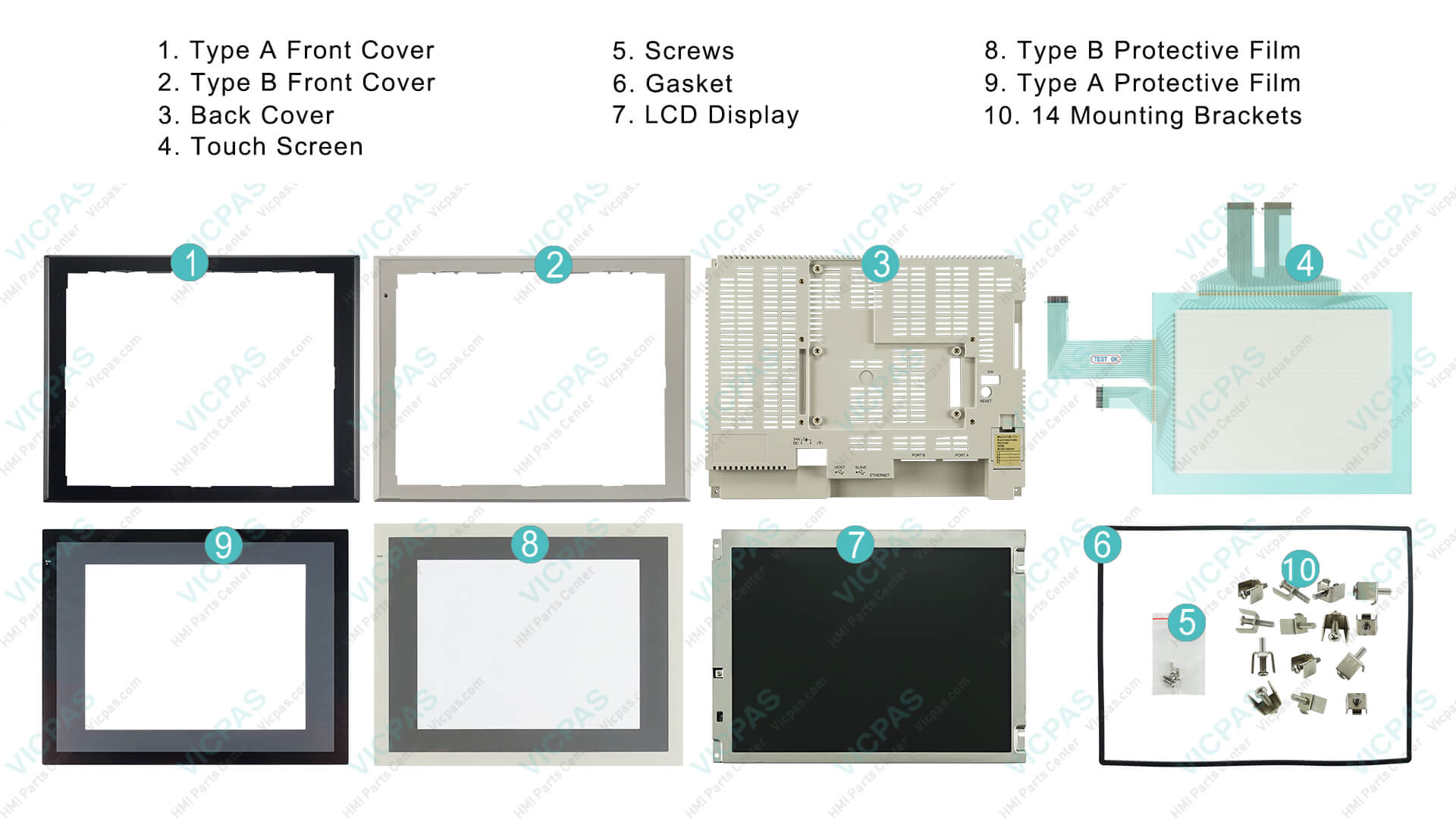
Many Omron NS10 faults are repairable at component level: touch glass, LCD display, housing, protective film, or complete front kits. Full unit exchange is sometimes the only official Omron path, but compatible high-quality replacements significantly lower cost and lead time.
VICPAS Advantage for Omron NS10 Owners
VICPAS (VICPAS Touch Technology Co., Ltd.) specializes in HMI replacement parts with over 20 years of experience. For the Omron NS10 series we stock and supply:
- Touchscreen glass / overlays
- LCD display panels
- Plastic housings / front covers
- Complete repair kits (touch + LCD + case + film)
- Models including NS10-TV00, NS10-TV00B, NS10-TV01, NS10-TV01B and their V1/V2/ECV2 variants
All parts are thoroughly tested, carry a 365-day (1-year) warranty, support same-day or urgent worldwide shipping (DHL, UPS, FedEx, TNT), and have no minimum order quantity. Custom solutions for obsolete or hard-to-find NS10 components are also available.
Browse available Omron NS10 parts
Learn more about VICPAS services and quality commitment
Preventive Maintenance Tips
- Use shielded communication cables and proper grounding to reduce interference.
- Keep CF cards formatted correctly (FAT16) and replace aging cards proactively.
- Maintain stable 24 VDC power with low ripple.
- Periodically clean the touch surface and check for mechanical stress on the CF slot.
- Keep project backups and system recovery files readily available.
- Enter System Menu regularly to run hardware diagnostics.
Conclusion
Most Omron NS10 problems—Error 10, dead touch zones, communication stalls, boot loops, and display issues—can be resolved with systematic diagnosis and the right recovery procedures. When parts are needed, choosing tested, warrantied replacements from a specialized supplier like VICPAS minimizes downtime and cost while restoring full functionality.
If your Omron NS10 requires touch glass, LCD, housing, or a complete repair kit, visit our dedicated NS10 product page or contact the VICPAS team for a fast quote and technical support. We help industrial users worldwide keep their HMIs running reliably.
Need parts or further assistance?
Explore Omron NS10 replacements
Contact VICPAS: sales..........com | +86-13763341328
This guide is based on official Omron setup manuals, technical FAQs, and verified field experiences to provide accurate, actionable information for technicians and maintenance engineers.
References
- Omron China FAQ – NS Series Touch Panel ERROR No.10
- Industrial Monitor Direct – Omron NS HMI Error 10 File System Recovery Fix Guide
- Industrial Monitor Direct – Omron NS10-TV00V2 Touch Screen Not Working
- Industrial Monitor Direct – Omron NS10 PT Connecting Message Troubleshooting
- Industrial Monitor Direct – Troubleshooting Omron NS10-TV00B-V2 Touch Screen Button Responsiveness
- ManualsLib – Omron NS10-TV Series Setup Manual (Troubleshooting Section)
- PLCTalk Forum – Omron NS10 Boot Fault
- PLCTalk Forum – Omron NS10 Touch Screen Issues
- ROC Industrial – Omron NS10-TV00 Repair
- CATEC – Omron NS10 Common Faults and Repair
- VICPAS – Omron NS10 Parts & Repair Kits
- VICPAS – Brand Story & Services