
- Home
- About us
- Products
- for Siemens
- Agricultural Terminal
- for A-B-B
- Advantech
- Allen Bradley
- AMTouch
- B&R Power Panel
- BECKHOFF HMI operator Repair
- Beijer HMI
- Bosch Rexroth
- Danielson Touch Screen Replacement
- Delem
- Delta
- DMC
- EATON Micro Panel
- ELO Touch Screen Panel
- ESA HMI
- Exor UniOP
- EZ Automation
- Fagor
- Fuji Hakko
- GE Fanuc
- GUNZE Touch Panel
- IDEC
- Koyo
- KUKA SmartPAD
- Lenze
- Microtouch 3M Versatouch touch screen
- Mitsubishi
- Omron
- Panasonic
- Parker
- Proface
- Red Lion
- Robotic Controller
- Schneider
- Sigmatek HMI
- Ventilator Parts
- Weinview
- Other Terminal Brand
- HMI Touch Screen Panel
- Touch Panel Screen Suppliers
- Touch Screen Panel supplier
- Auxiliary Accessories
- LCD Display
- test11
- Faqs
- News
- Certificate
- Contact us
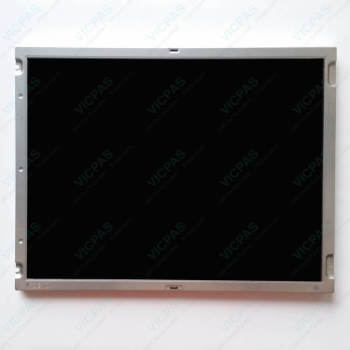
CP7702-1322-0010 LCD Display Touch Screen Glass Repair


- group name
- CP77XX
- Min Order
- 1 piece
- brand name
- VICPAS
- model
- CP7702-1322-0010
- Nearest port for product export
- Guangzhou, Hongknog, Shenzhen, Taiwan
- Delivery clauses under the trade mode
- FOB, CFR, CIF, EXW, FAS, CIP, FCA, CPT, DEQ, DDP, DDU, Express Delivery, DAF, DES
- Acceptable payment methods
- T/T, L/C, D/P D/A, MoneyGram, Credit Card, PayPal, Westem Union, Cash, Escrow
- update time
- Sun, 18 Oct 2026 21:38:41 GMT
Paramtents
Product Line CP77XX
LCD Type TFT
Shipping Time 3-5 Days
Supply Parts LCD Panel HMI Touch Glass
Environment Free From Corrosive Gases
Size 15''
Packging & Delivery
-
Min Order1 piece
Briefing
Detailed
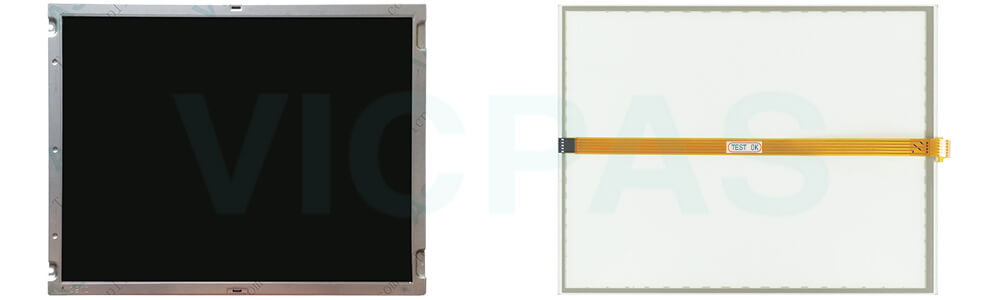
Beckhoff CP7702-1322-0010 LCD Panel Touch Screen Monitor Replacement
Order each part separately is available
Application conditions
• Do not replace CP7702-1322-0010 Touch Screen Display LCD Panel under extreme environmental conditions.
• Only use the device in hazardous areas if it is explicitly designed for this purpose.
• Never plug or unplug connectors during thunderstorms. There is a risk of electric shock.
• Ensure that the device has a protective and functional earth connection during replace Beckhoff HMI CP7702-1322-0010 LCD Screen Touch Panel.
Damage to property, loss of data and impairment of functions
• If you change the hardware and software configurations, you must keep within the specified limits of power consumption and power loss (please refer to the respective data sheet).
• Ensure that only trained specialists with a control and automation engineering background, replace Beckhoff Touch Screen CP7702-1322-0010 Touch Digitizer Glass LCD Display. Use by unauthorized persons can lead to damage to property and loss of data.
• In the case of a 24 V DC power supply unit, fuse the power supply line according to its cross-section to protect the supply line in the event of a short circuit.
• In case of fire, extinguish the device with powder or nitrogen.
Vicpas supplies Beckhoff CP7702-1322-0010 LCD Screen Touch Membrane with 365-day warranty and support urgent worldwide shipping.
Specifications:
The table below describes the parameters of Beckhoff CP7702-1322-0010 Touch Digitizer Glass LCD Display.
| Warranty: | 365 Days |
| Relative Humidity: | 95% |
| Environment: | Free From Corrosive Gases |
| Cooling Method: | Natural Air Cooling |
| Brand: | Vicpas |
| Operating Temperature: | 0 °C ... +55 °C |
| Size: | 15'' |
| Storage Temperature: | -25 °C ... +65 °C |
| LCD Type: | TFT |
| Product Line: | CP77XX |
Related Beckhoff Part No. :
| Beckhoff HMI | Description | Inventory status |
| CP7702-0000-0050 | Beckhoff CP77XX Touch Screen Film Replacement | In Stock |
| CP7702-0001-0050 | Beckhoff CP77XX Touch Screen Monitor Repair | Available Now |
| CP7702-0020-0040 | Beckhoff CP77XX Touch Screen Glass Replacement | In Stock |
| CP7702-0020-0050 | Beckhoff CP77XX Touch Digitizer Glass Repair | Available Now |
| CP7702-0021-0040 | Beckhoff CP77XX Touch Screen Display Replacement | In Stock |
| CP7702-0021-0050 | Beckhoff CP77XX Touch Screen Tablet Repair | Available Now |
| CP7702-1322-0010 | Beckhoff CP77XX Touch Membrane Replacement | In Stock |
| CP7702-1378-0030 | Beckhoff CP77XX Membrane Keypad Touch Screen Tablet Repair | Available Now |
| CP7702-1400-0030 | Beckhoff CP77XX Touch Screen Glass Replacement | In Stock |
| CP7702-1401-0030 | Beckhoff CP77XX HMI Touch Glass Repair | Available Now |
| CP7702-1409 | Beckhoff CP77XX Touch Screen Film Operator Keyboard Replacement | In Stock |
| CP7703-0000-0020 | Beckhoff CP77XX HMI Touch Glass Repair | Available Now |
| CP7703-0001-0020 | Beckhoff CP77XX Touch Screen Panel Replacement | In Stock |
| CP7703-0020-0020 | Beckhoff CP77XX Touch Membrane Repair | Available Now |
| CP7703-0021-0020 | Beckhoff CP77XX Touch Screen Display Replacement | In Stock |
| CP7709-1025-0040 | Beckhoff CP77XX Touch Digitizer Glass Repair | Available Now |
| Beckhoff HMI | Description | Inventory status |
Beckhoff CP77XX Manuals PDF Download:
FAQ:
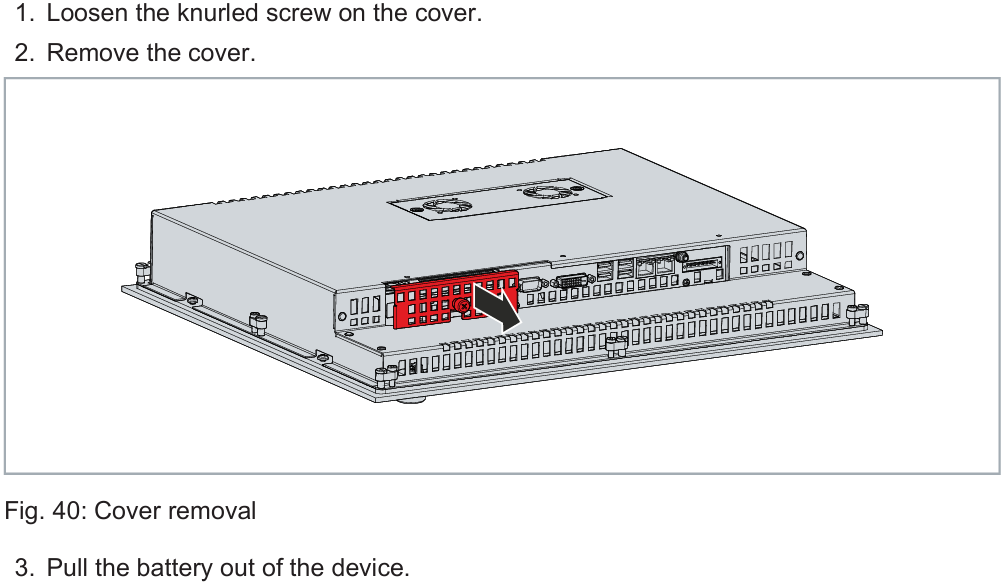
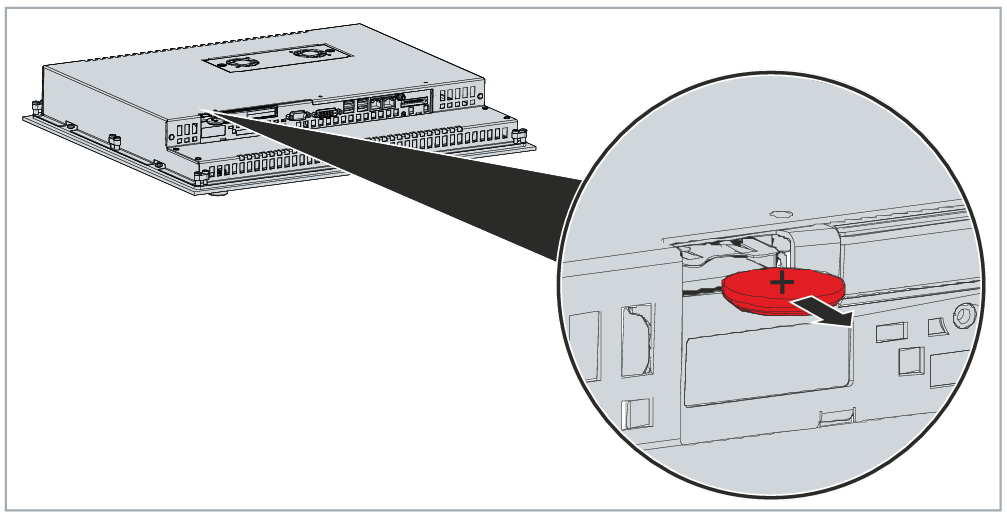
Question: Where is the battery of CP7702-1322-0010?
Answer:
Question: What should I pay attention to if I want to replace my old CP7702-1322-0010 Touch Screen Film LCD Panel from the device?
Answer: You must first disconnect the power supply and cables from the device before starting to disassemble CP7702-1322-0010 LCD Display Touch Screen Glass. You can then remove it from the control cabinet.
Common misspellings:
CP7702-122-0010CP7720-1322-0010
CP7702-1322-00010
CP772-1322-0010
CP7702-1322-0011