
- Home
- About us
- Products
- for Siemens
- Agricultural Terminal
- for A-B-B
- Advantech
- Allen Bradley
- AMTouch
- B&R Power Panel
- BECKHOFF HMI operator Repair
- Beijer HMI
- Bosch Rexroth
- Danielson Touch Screen Replacement
- Delem
- Delta
- DMC
- EATON Micro Panel
- ELO Touch Screen Panel
- ESA HMI
- Exor UniOP
- EZ Automation
- Fagor
- Fuji Hakko
- GE Fanuc
- GUNZE Touch Panel
- IDEC
- Koyo
- KUKA SmartPAD
- Lenze
- Microtouch 3M Versatouch touch screen
- Mitsubishi
- Omron
- Panasonic
- Parker
- Proface
- Red Lion
- Robotic Controller
- Schneider
- Sigmatek HMI
- Ventilator Parts
- Weinview
- Other Terminal Brand
- HMI Touch Screen Panel
- Touch Panel Screen Suppliers
- Touch Screen Panel supplier
- Auxiliary Accessories
- LCD Display
- test11
- Faqs
- News
- Certificate
- Contact us
CP7711-0000-0050 CP7711-0001-0050 CP7721-0000-0050 CP7721-0001-0050 Switch Membrane Touchglass
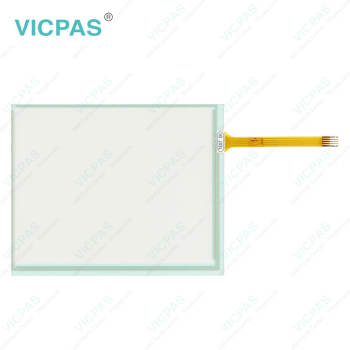


- group name
- CP77XX
- Min Order
- 1 piece
- brand name
- VICPAS
- model
- CP7711-0000-0050 CP7711-0001-0050 CP7721-0000-0050 CP7721-0001-0050
- Nearest port for product export
- Guangzhou, Hongknog, Shenzhen, Taiwan
- Delivery clauses under the trade mode
- FOB, CFR, CIF, EXW, FAS, CIP, FCA, CPT, DEQ, DDP, DDU, Express Delivery, DAF, DES
- Acceptable payment methods
- T/T, L/C, D/P D/A, MoneyGram, Credit Card, PayPal, Westem Union, Cash, Escrow
- update time
- Wed, 23 Sep 2026 06:03:32 GMT
Paramtents
Product Line CP77XX
Size 12''
Shipping Time 3-5 Days
Supply Parts Operator Keyboard Touch Screen Monitor
Environment Free From Corrosive Gases
Warranty 1 year
Packging & Delivery
-
Min Order1 piece
Briefing
Detailed
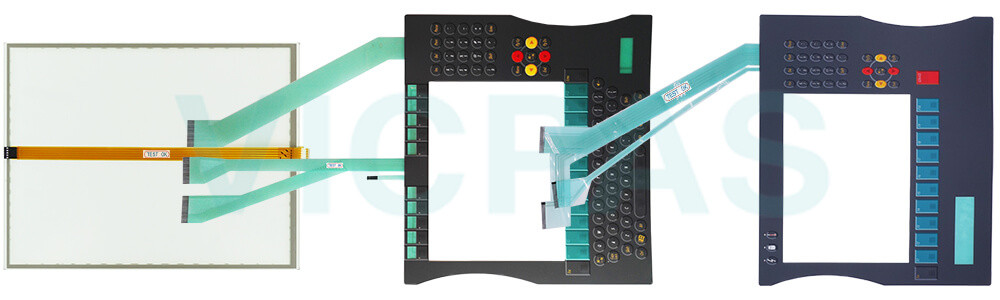
Beckhoff CP7711-0000-0050 CP7711-0001-0050 CP7721-0000-0050 CP7721-0001-0050 Touch Screen Glass Keyboard Membrane Repair
Order each part separately is available
Troubleshooting
After a long period of operation, there may be something fault with your Beckhoff Touch Panel CP7711-0000-0050 CP7711-0001-0050 CP7721-0000-0050 CP7721-0001-0050 Membrane Keyboard HMI Touch Glass. Firstly, the panel PC only works partially or only temporarily (e.g. dark screen image or none at all). This is because the defective backlight in the display or defective components in the panel PC. If you need to replace Beckhoff HMI Keyboard CP7711-0000-0050 CP7711-0001-0050 CP7721-0000-0050 CP7721-0001-0050 Touch Digitizer Glass Terminal Keypad, contact Vicpas anytime. Secondly, malfunction of the touch screen. The reason is poor or missing functional earth of the device or poor or missing ground connection of the user. You need to establish functional earth or must stand on the floor with normal shoes.
If there is a malfunction, please first determine whether it is a problem with the accessories. If the abnormal operation is caused by the damage of the accessories, please contact Vicpas to purchase CP7711-0000-0050 CP7711-0001-0050 CP7721-0000-0050 CP7721-0001-0050 Operator Panel Keypad Touch Screen Tablet for replacement to ensure the normal operation of the unit. Vicpas provides Beckhoff Beckhoff Touch Screen CP7711-0000-0050 CP7711-0001-0050 CP7721-0000-0050 CP7721-0001-0050 Touch Screen Film Membrane Keypad with 365-day warranty and support urgent worldwide shipping.
Specifications:
The table below describes the parameters of Beckhoff CP7711-0000-0050 CP7711-0001-0050 CP7721-0000-0050 CP7721-0001-0050 Touch Screen Monitor Membrane Keyboard.
| Size: | 12'' |
| LCD Type: | TFT |
| Environment: | Free From Corrosive Gases |
| Cooling Method: | Natural Air Cooling |
| Brand: | Vicpas |
| Product Line: | CP77XX |
| Warranty: | 365 Days |
| Storage Temperature: | -25 °C ... +65 °C |
| Operating Temperature: | 0 °C ... +55 °C |
| Relative Humidity: | 95% |
Related Beckhoff Part No. :
| Beckhoff HMI | Description | Inventory status |
| CP7711-0000-0050 | Beckhoff CP77XX Operator Keyboard Touch Screen Monitor Replacement | In Stock |
| CP7711-0001-0030 | Beckhoff CP77XX Touch Screen Glass Membrane Switch LCD Display Repair | Available Now |
| CP7711-0001-0050 | Beckhoff CP77XX Touch Screen Film Keypad Membrane Replacement | In Stock |
| CP7712-0000-0020 | Beckhoff CP77XX Operator Panel Keypad Touch Digitizer Glass Repair | Available Now |
| CP7712-0000-0030 | Beckhoff CP77XX Touch Screen Display Terminal Keypad Replacement | In Stock |
| CP7712-0001-0020 | Beckhoff CP77XX Switch Membrane Touch Screen Panel Repair | Available Now |
| CP7712-0001-0030 | Beckhoff CP77XX HMI Touch Glass Operator Keyboard Replacement | In Stock |
| CP7721-0000-0050 | Beckhoff CP77XX Membrane Keyboard Touch Screen Film Repair | Available Now |
| CP7721-0001-0050 | Beckhoff CP77XX Touch Screen Glass Membrane Keypad Replacement | In Stock |
| CP7722-0000-0020 | Beckhoff CP77XX Operator Panel Keypad HMI Touch Glass Repair | Available Now |
| CP7722-0000-0030 | Beckhoff CP77XX Touch Digitizer Glass Operator Keyboard Replacement | In Stock |
| CP7722-0001-0020 | Beckhoff CP77XX Membrane Switch Touch Screen Monitor Repair | Available Now |
| CP7722-0001-0030 | Beckhoff CP77XX Touch Screen Panel Membrane Keyboard Replacement | In Stock |
| Beckhoff HMI | Description | Inventory status |
Beckhoff CP77XX Manuals PDF Download:
FAQ:
Question: How can I maintain CP7711-0000-0050 CP7711-0001-0050 CP7721-0000-0050 CP7721-0001-0050 Operator Keyboard Touch Screen Display?
Answer: Do not work on the panel PC when live can lead to electric shock. Turn off the supply voltage before cleaning the device or replacing touch screen panel. Maintenance measures increase the efficiency of the device by ensuring long-term functionality. Cleaning and maintenance of certain device components and the replacement of touch screen monitor contribute to this. Use spare parts that you have ordered from Vicpas can ensure your safe and excellent operation.
Question: What should I do when I received the package of Beckhoff CP7711-0000-0050 CP7711-0001-0050 CP7721-0000-0050 CP7721-0001-0050 Touch Digitizer Glass Membrane Keypad?
Answer:
1. Inspect the packaging for any damage that may have occurred during transit.
2. Carefully remove the packaging.
3. Keep the packaging for potential future shipping.
4. Verify that all items are included by comparing the delivery with your order.
5. Check the contents for any visible shipping damage.
6. If any items are missing or damaged, please contact VICPAS immediately.
Common misspellings:
CP771-0000-0050CP7711-00000-0050
CP7711-0000-050
CP7711-0001-0055
CP7711-0101-0050
CP77111-0001-0050
CP7721-000-0050
CP7721-0000-05050
CP7722-0000-0050
CP7721-0010-0050
CP7721-0001-050
CP772100010050