
- Home
- About us
- Products
- for Siemens
- Agricultural Terminal
- for A-B-B
- Advantech
- Allen Bradley
- AMTouch
- B&R Power Panel
- BECKHOFF HMI operator Repair
- Beijer HMI
- Bosch Rexroth
- Danielson Touch Screen Replacement
- Delem
- Delta
- DMC
- EATON Micro Panel
- ELO Touch Screen Panel
- ESA HMI
- Exor UniOP
- EZ Automation
- Fagor
- Fuji Hakko
- GE Fanuc
- GUNZE Touch Panel
- IDEC
- Koyo
- KUKA SmartPAD
- Lenze
- Microtouch 3M Versatouch touch screen
- Mitsubishi
- Omron
- Panasonic
- Parker
- Proface
- Red Lion
- Robotic Controller
- Schneider
- Sigmatek HMI
- Ventilator Parts
- Weinview
- Other Terminal Brand
- HMI Touch Screen Panel
- Touch Panel Screen Suppliers
- Touch Screen Panel supplier
- Auxiliary Accessories
- LCD Display
- test11
- Faqs
- News
- Certificate
- Contact us
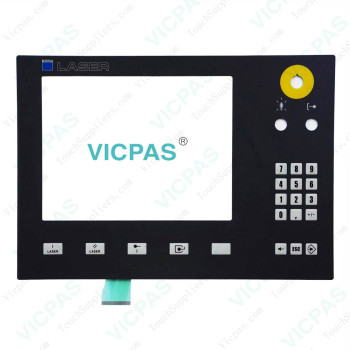
CP7712-0000-0050 CP7712-0001-0050 CP7722-0000-0050 CP7722-0001-0050 Terminal Keypad Touch Membrane


- group name
- CP77XX
- Min Order
- 1 piece
- brand name
- VICPAS
- model
- CP7712-0000-0050 CP7712-0001-0050 CP7722-0000-0050 CP7722-0001-0050
- Nearest port for product export
- Guangzhou, Hongknog, Shenzhen, Taiwan
- Delivery clauses under the trade mode
- FOB, CFR, CIF, EXW, FAS, CIP, FCA, CPT, DEQ, DDP, DDU, Express Delivery, DAF, DES
- Acceptable payment methods
- T/T, L/C, D/P D/A, MoneyGram, Credit Card, PayPal, Westem Union, Cash, Escrow
- update time
- Wed, 23 Sep 2026 10:43:21 GMT
Paramtents
Product Line CP77XX
LCD Type TFT
Shipping Time 3-5 Days
Supply Parts Membrane Keyboard HMI Touch Glass
Environment Free From Corrosive Gases
Size 15''
Packging & Delivery
-
Min Order1 piece
Briefing
Detailed
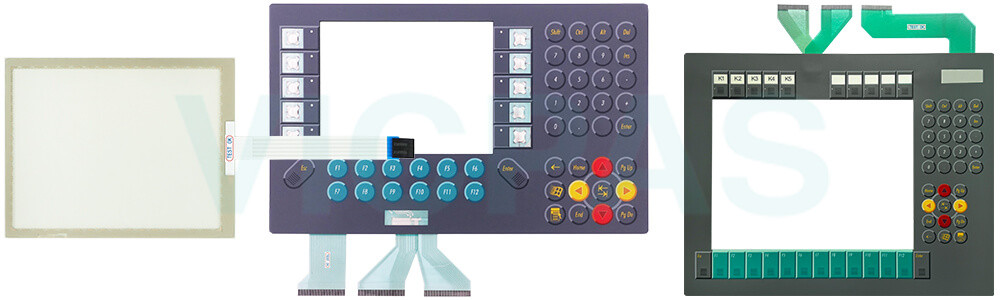
Beckhoff CP7712-0000-0050 CP7712-0001-0050 CP7722-0000-0050 CP7722-0001-0050 Keyboard Membrane Touch Screen Tablet Replacement
Order each part separately is available
Cleaning the front screen
You can clean the front screen of Beckhoff HMI Keyboard CP7712-0000-0050 CP7712-0001-0050 CP7722-0000-0050 CP7722-0001-0050 Membrane Keypad Touchscreen during operation. In order to avoid inadvertent touch entries when doing this, you must first set the device to "Cleaning Mode" with the help of the Beckhoff Display Control Tool. Also make sure that you not only clean the display area, but also the edge of the glass pane. Impurities in the edge area or liquids that do not run down the glass pane as drops but as a long short-circuit bridge create an electrically conductive connection between Beckhoff HMI CP7712-0000-0050 CP7712-0001-0050 CP7722-0000-0050 CP7722-0001-0050 Operator Panel Keypad Touch Membrane area and the metal housing of the device. This unintentionally triggers a touch event at the edge of the touch screen, which can lead to incorrect operation.
Some components of CP7712-0000-0050 CP7712-0001-0050 CP7722-0000-0050 CP7722-0001-0050 Touch Digitizer Glass Switch Membrane may be subject to a limited service life if they are operated under certain conditions, such as at increased ambient temperatures during operation or during storage or during long periods of storage out of operation. Vicpas therefore recommends replacing Beckhoff Touch Panel CP7712-0000-0050 CP7712-0001-0050 CP7722-0000-0050 CP7722-0001-0050 Terminal Keypad Touch Screen Display after the time after which predictions of the remaining service life of such components can no longer be reliably calculated.
Specifications:
The table below describes the parameters of Beckhoff CP7712-0000-0050 CP7712-0001-0050 CP7722-0000-0050 CP7722-0001-0050 Keyboard Membrane Touch Screen Monitor.
| Brand: | Vicpas |
| Warranty: | 365 Days |
| Environment: | Free From Corrosive Gases |
| Cooling Method: | Natural Air Cooling |
| Light Transmission: | Above 75% |
| Product Line: | CP77XX |
| LCD Type: | TFT |
| Storage Temperature: | -25 °C ... +65 °C |
| Relative Humidity: | 95% |
| Operating Temperature: | 0 °C ... +55 °C |
Related Beckhoff Part No. :
| Beckhoff HMI | Description | Inventory status |
| CP7712-0000-0040 | Beckhoff CP77XX Operator Keyboard Touch Screen Monitor Replacement | In Stock |
| CP7712-0000-0050 | Beckhoff CP77XX Touch Screen Glass Membrane Switch Repair | Available Now |
| CP7712-0001-0040 | Beckhoff CP77XX Touch Screen Film Keypad Membrane Replacement | In Stock |
| CP7712-0001-0050 | Beckhoff CP77XX Operator Panel Keypad Touch Digitizer Glass Repair | Available Now |
| CP7713-0000-0020 | Beckhoff CP77XX Touch Screen Display Terminal Keypad Replacement | In Stock |
| CP7713-0000-0030 | Beckhoff CP77XX Switch Membrane Touch Screen Panel Repair | Available Now |
| CP7713-0001-0020 | Beckhoff CP77XX HMI Touch Glass Operator Keyboard Replacement | In Stock |
| CP7713-0001-0030 | Beckhoff CP77XX Membrane Keyboard Touch Screen Film Repair | Available Now |
| CP7722-0000-0040 | Beckhoff CP77XX Touch Screen Glass Membrane Keypad Replacement | In Stock |
| CP7722-0000-0050 | Beckhoff CP77XX Operator Panel Keypad HMI Touch Glass Repair | Available Now |
| CP7722-0001-0040 | Beckhoff CP77XX Touch Digitizer Glass Operator Keyboard Replacement | In Stock |
| CP7722-0001-0050 | Beckhoff CP77XX Membrane Switch Touch Screen Monitor Repair | Available Now |
| CP7723-0000-0020 | Beckhoff CP77XX Touch Screen Panel Membrane Keyboard Replacement | In Stock |
| CP7723-0000-0030 | Beckhoff CP77XX HMI Touch Glass Operator Keyboard Replacement | In Stock |
| CP7723-0001-0020 | Beckhoff CP77XX Membrane Keypad Touch Screen Film Repair | Available Now |
| CP7723-0001-0030 | Beckhoff CP77XX Touch Screen Glass Membrane Keyboard Replacement | In Stock |
| Beckhoff HMI | Description | Inventory status |
Beckhoff CP77XX Manuals PDF Download:
FAQ:
Question: What should I pay attention to during disassemble and dispose Beckhoff CP7712-0000-0050 CP7712-0001-0050 CP7722-0000-0050 CP7722-0001-0050 Touch Membrane Operator Panel Keypad?
Answer: You must first have disconnected the power supply and the cables. If the panel PC is suspended from the ceiling and you undo the cap nut of the mounting arm adapter without securing it, the panel PC will fall down. Make sure the panel PC is secured against falling down before you undo the slotted nut of the mounting arm adapter.
Question: What is essential to observe when cleaning CP7712-0000-0050 CP7712-0001-0050 CP7722-0000-0050 CP7722-0001-0050 Membrane Switch Touch Digitizer Glass?
Answer:
• Keep to the boundary conditions of protection rating IP65.
• Never use compressed air to clean the PC.
• Maintain an ambient temperature range of 0 °C to 45 °C.
Common misspellings:
CP7712-000-0050CP7711-0000-0050
CP7712-0000-0055
CP7712-001-0050
CP7721-0001-0050
CP7712-0001-0055
CP772200000050
CP7722-0002-0050
CP7722-0000-0005
CP77222-0001-0050
CP7722-0101-0050
CP7722-0001-050