
- Home
- About us
- Products
- for Siemens
- Agricultural Terminal
- for A-B-B
- Advantech
- Allen Bradley
- AMTouch
- B&R Power Panel
- BECKHOFF HMI operator Repair
- Beijer HMI
- Bosch Rexroth
- Danielson Touch Screen Replacement
- Delem
- Delta
- DMC
- EATON Micro Panel
- ELO Touch Screen Panel
- ESA HMI
- Exor UniOP
- EZ Automation
- Fagor
- Fuji Hakko
- GE Fanuc
- GUNZE Touch Panel
- IDEC
- Koyo
- KUKA SmartPAD
- Lenze
- Microtouch 3M Versatouch touch screen
- Mitsubishi
- Omron
- Panasonic
- Parker
- Proface
- Red Lion
- Robotic Controller
- Schneider
- Sigmatek HMI
- Ventilator Parts
- Weinview
- Other Terminal Brand
- HMI Touch Screen Panel
- Touch Panel Screen Suppliers
- Touch Screen Panel supplier
- Auxiliary Accessories
- LCD Display
- test11
- Faqs
- News
- Certificate
- Contact us
CUTLER HAMMER 1550 PM 1500 Power Series 92-01755-01 Eaton Cutler-Hammer 1550THX PM 1500 POWER SERIES 92-01879-01/92-01879-02 Overlay Touchpad


- group name
- Cutler-Hammer Panelmate
- Min Order
- 1 piece
- brand name
- VICPAS
- model
- CUTLER HAMMER 1550 PM 1500 Power Series 92-01755-01 Eaton Cutler-Hammer 1550THX PM 1500 POWER SERIES 92-01879-01/92-01879-02
- Nearest port for product export
- Guangzhou, Hongknog, Shenzhen, Taiwan
- Delivery clauses under the trade mode
- FOB, CFR, CIF, EXW, FAS, CIP, FCA, CPT, DEQ, DDP, DDU, Express Delivery, DAF, DES
- Acceptable payment methods
- T/T, L/C, D/P D/A, MoneyGram, Credit Card, PayPal, Westem Union, Cash, Escrow
- update time
- Fri, 28 Aug 2026 17:18:54 GMT
Paramtents
Product Line Cutler-Hammer Panelmate
Warranty 1 Year
Shipping Time 3-5 Days
Supply Parts Front Overlay Touch Screen Monitor
Environment Free From Corrosive Gases
Brand Vicpas
Packging & Delivery
-
Min Order1 piece
Briefing
Detailed
CUTLER HAMMER 1550 PM 1500 Power Series 92-01755-01 Eaton Cutler-Hammer 1550THX PM 1500 POWER SERIES 92-01879-01/92-01879-02 Touch Screen Film Front Overlay Replacement
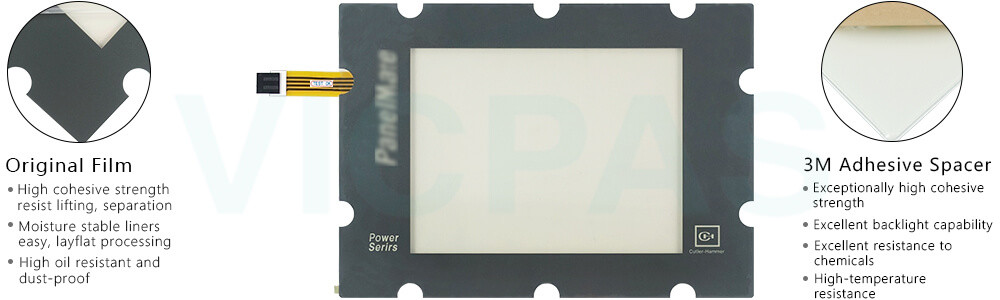
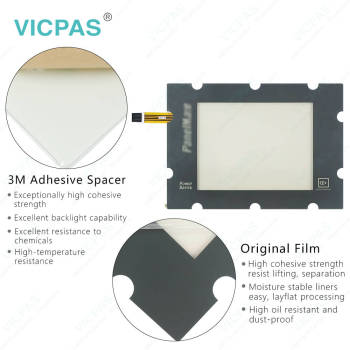
Cutler-Hammer Eaton CUTLER HAMMER 1550 PM 1500 Power Series 92-01755-01 Eaton Cutler-Hammer 1550THX PM 1500 POWER SERIES 92-01879-01/92-01879-02 HMI Touch Glass Front Overlay is compatible with the original device’s brightness adjustment and backlight auto-dimming functions, ensuring stable display performance and a reliable user experience. Vicpas provides high-quality replacement touch glass designed for seamless integration with your HMI system.
To configure the backlight auto-dimming feature, select the Configure button. The LCD Dimming Configuration dialog box will appear, as shown in the figure below. First, set the desired idle time wait period (in seconds). If the idle time is set to 0, the backlight auto-dimming feature will be disabled, and the display will remain at a constant brightness level.
Otherwise, when the unit has been idle (with no mouse, keyboard, or touchscreen input) for the specified period, the screen brightness will automatically adjust to the configured level. With a responsive and reliable touch interface, Eaton Panelmate Eaton CUTLER HAMMER 1550 PM 1500 Power Series 92-01755-01 Eaton Cutler-Hammer 1550THX PM 1500 POWER SERIES 92-01879-01/92-01879-02 Protective Film Touch Membrane helps maintain smooth operation in various industrial environments.
Once input is detected from a mouse, keyboard, or touchscreen, the display brightness will immediately return to the default setting.
When the device is not in use, the backlight brightness can be automatically reduced, helping to extend the lifespan of the display backlight. Vicpas offers high-quality Cutler Hammer Panels Eaton CUTLER HAMMER 1550 PM 1500 Power Series 92-01755-01 Eaton Cutler-Hammer 1550THX PM 1500 POWER SERIES 92-01879-01/92-01879-02 Touch Screen Panel Front Overlay, supports worldwide shipping, and provides a one-year warranty for dependable long-term use.
Specifications:
The table below describes the parameters of Eaton CUTLER HAMMER 1550 PM 1500 Power Series 92-01755-01 Eaton Cutler-Hammer 1550THX PM 1500 POWER SERIES 92-01879-01/92-01879-02 Protective Film Touch Screen Display.
| Protection: | IP65 |
| Relative Humidity: | 95% |
| Shipping Time: | 3-5 Days |
| Brand: | Vicpas |
| Environment: | Free From Corrosive Gases |
| Product Line: | Cutler-Hammer Panelmate |
| Storage Temperature: | -20 °C ... +60 °C |
| Operating Temperature: | 0 °C ... +50 °C |
| Cooling Method: | Natural Air Cooling |
| Warranty: | 365 Days |
Related Eaton Cutler-Hammer Panelmate Part No. :
| Cutler-Hammer Panelmate HMI | Description | Inventory status |
| AEG Modicon MM-PMC1-200 92-00595-03 / 91-01094-00 | Panelmate Touch Digitizer Glass Replacement | In Stock |
| Modicon AEG Schneider MM-PMC1-300 PA-0601-300 | Panelmate Touch Screen Display Repair | Available Now |
| CUTLER HAMMER 1175K PMPP 1100 92-01970-00 PANELMATE | Eaton Cutler-Hammer Panelmate Switch Membrane Replacement | In Stock |
| Cutler Hammer 2D78580G13 | Eaton Cutler-Hammer Panelmate Operator Keyboard Repair | Available Now |
| CUTLER HAMMER 1550 PM 1500 Power Series 92-01755-01 | Eaton Cutler-Hammer Panelmate Touch Panel Front Overlay Replacement | In Stock |
| Eaton Cutler-Hammer 1550THX PM 1500 POWER SERIES 92-01879-01/92-01879-02 | Eaton Cutler-Hammer Panelmate Protective Film Touch Screen Monitor Repair | Available Now |
| Cutler Hammer 1755K PMPP 1700 92-01921-01 Panelmate | Eaton Cutler-Hammer Panelmate Membrane Switch Touch Screen Monitor Replacement | In Stock |
| Cutler Hammer 1755K PMPP 1700 PanelMate 92-01875-01 | Eaton Cutler-Hammer Panelmate Touch Screen Glass Keypad Membrane Repair | Available Now |
| Cutler Hammer 1755K PMPP 1700 PanelMate Power Pro 92-01939-01/92-01939-02 | Eaton Cutler-Hammer Panelmate Membrane Keyboard Touch Screen Panel Replacement | In Stock |
| Cutler Hammer 1785K PMPS 1700 PanelMate 92-01877-03 | Eaton Cutler-Hammer Panelmate HMI Touch Glass Operator Panel Keypad Repair | Available Now |
| Cutler Hammer 1785K PMPS 1700 PanelMate 92-01877-06 | Eaton Cutler-Hammer Panelmate Touchscreen Terminal Keypad Replacement | In Stock |
| Cutler Hammer 300-2605 PPS39PTH | Eaton Cutler-Hammer Panelmate Touch Membrane Repair | Available Now |
| TPI# 1115-001 Rev B, CHI# 63-00285-05 VersaTouch | Eaton Cutler-Hammer Panelmate Touch Digitizer Glass Replacement | In Stock |
| CUTLER HAMMER 3985T PMPP 3000 PANELMATE 92-01907-04 | Eaton Cutler-Hammer Panelmate Touch Screen Tablet Repair | Available Now |
| CUTLER HAMMER 3985T PMPP 3000 PANELMATE 92-01946-00 | Eaton Cutler-Hammer Panelmate Touch Screen Film Replacement | In Stock |
| Cutler-Hammer Panelmate HMI | Description | Inventory status |
Eaton Cutler-Hammer Panelmate Manuals PDF Download:
FAQ:
Question: How to calibrate CUTLER HAMMER 1550 PM 1500 Power Series 92-01755-01 Eaton Cutler-Hammer 1550THX PM 1500 POWER SERIES 92-01879-01/92-01879-02 HMI Touch Glass?
Answer: Touchscreen units have a calibration routine that must be performed to determine the boundaries of the video on your touchsceen. Select the Calibrate Touchscreen template and the following screen will appear:
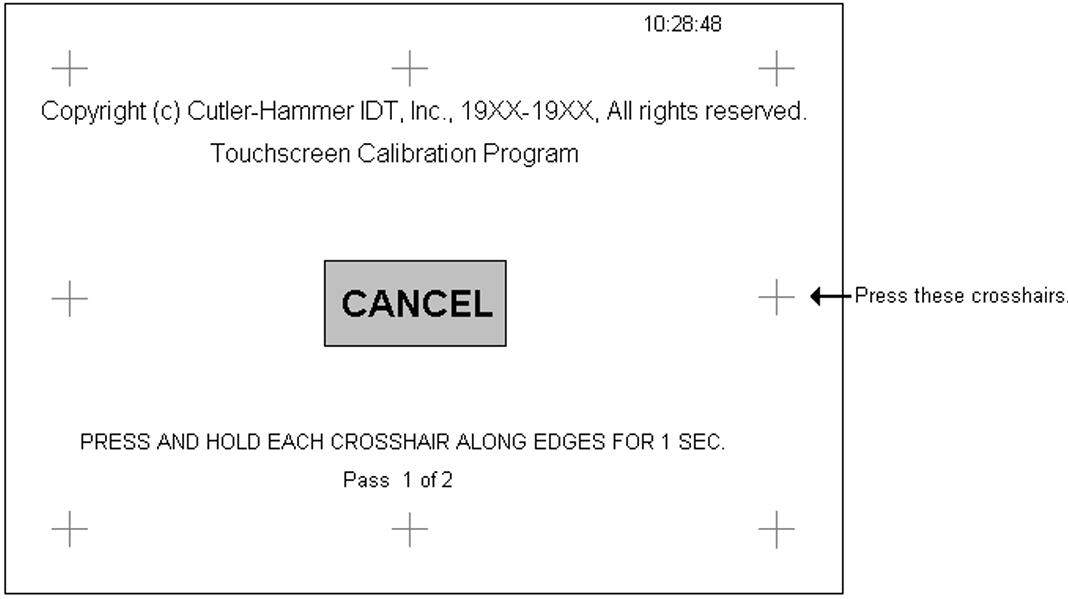
Press the eight small crosshairs around the edges of the screen to calibrate. Press the crosshairs in any order, but all crosshairs must be pressed to complete the calibration. Each crosshair turns green (or a different shade of gray for grayscale units) when pressed. After the first pass, the crosshairs turn red (or back to the original shade of gray) again to indicate the screen is ready for the second pass. After calibrating, you return to the Offline Mode Menu. Calibration settings are retained when power is removed from the PanelMate operator station.
Question: How can I adjust the display contrast on the PanelMate unit?
Answer: Units with grayscale or dual-scan color displays support software-controlled contrast adjustment. To adjust the contrast, place the unit in Run Mode, then go to Get Page → More → Setup Page → Adjust Contrast. Use the Lighter and Darker control buttons to achieve the desired display effect. After adjustment, press Save Setting to keep the new contrast level, or press Cancel to return to the previous setting. The unit will restore the last saved contrast setting after power cycling.
Common misspellings:
CUTLER HAMMER 1555 PM 1500 Power Series 92-01755-01CUTLER HAMMER 1550 PM 1500 Power Series 92-00755-01
CUTLER HAMMER 1550 PM 1500 Power Series 92-01755-10
Eaton Cutler-Hammer 1550THX PM 1500 POWER SERIES 91-01879-01/92-01879-02
Eaton Cutler-Hammer 1550THX PM 1500 POWER SERIES 92-01879-0192-01879-02
Eaton Cutler-Hammer 1550THX PM 1500 POWER SERIES 92-01879-01/92-018779-02