
- Home
- About us
- Products
- for Siemens
- Agricultural Terminal
- for A-B-B
- Advantech
- Allen Bradley
- AMTouch
- B&R Power Panel
- BECKHOFF HMI operator Repair
- Beijer HMI
- Bosch Rexroth
- Danielson Touch Screen Replacement
- Delem
- Delta
- DMC
- EATON Micro Panel
- ELO Touch Screen Panel
- ESA HMI
- Exor UniOP
- EZ Automation
- Fagor
- Fuji Hakko
- GE Fanuc
- GUNZE Touch Panel
- IDEC
- Koyo
- KUKA SmartPAD
- Lenze
- Microtouch 3M Versatouch touch screen
- Mitsubishi
- Omron
- Panasonic
- Parker
- Proface
- Red Lion
- Robotic Controller
- Schneider
- Sigmatek HMI
- Ventilator Parts
- Weinview
- Other Terminal Brand
- HMI Touch Screen Panel
- Touch Panel Screen Suppliers
- Touch Screen Panel supplier
- Auxiliary Accessories
- LCD Display
- test11
- Faqs
- News
- Certificate
- Contact us
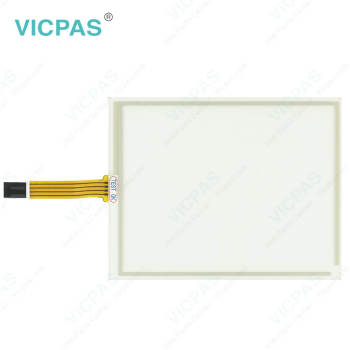
CUTLER HAMMER 7685T-8 92-02125-00 Cutler Hammer 7685T-10 92-02151-00 7685ST-10 Touch Membrane


- group name
- Cutler-Hammer Panelmate
- Min Order
- 1 piece
- brand name
- VICPAS
- model
- CUTLER HAMMER 7685T-8 92-02125-00 Cutler Hammer 7685T-10 92-02151-00 7685ST-10
- Nearest port for product export
- Guangzhou, Hongknog, Shenzhen, Taiwan
- Delivery clauses under the trade mode
- FOB, CFR, CIF, EXW, FAS, CIP, FCA, CPT, DEQ, DDP, DDU, Express Delivery, DAF, DES
- Acceptable payment methods
- T/T, L/C, D/P D/A, MoneyGram, Credit Card, PayPal, Westem Union, Cash, Escrow
- update time
- Sat, 29 Aug 2026 09:57:13 GMT
Paramtents
Product Line Cutler-Hammer Panelmate
Warranty 1 Year
Shipping Time 3-5 Days
Supply Parts Touch Screen Tablet
Environment Free From Corrosive Gases
Brand Vicpas
Packging & Delivery
-
Min Order1 piece
Briefing
Detailed
Eaton CUTLER HAMMER 7685T-8 92-02125-00 Cutler Hammer 7685T-10 92-02151-00 7685ST-10 Touch Screen Panel Repair
Order each part separately is available
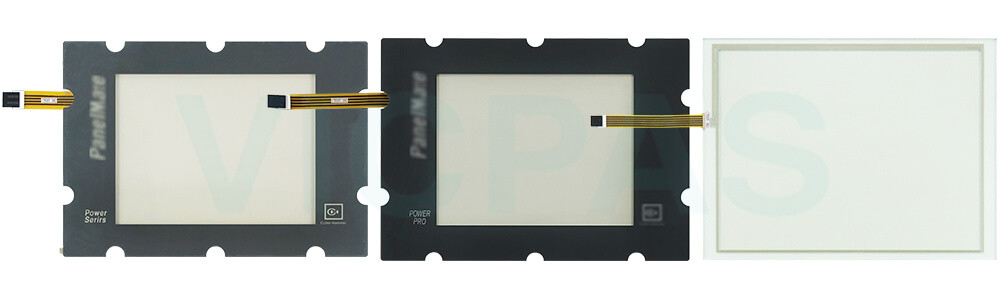
1. Never use foreign objects to activate Eaton Panelmate CUTLER HAMMER 7685T-8 92-02125-00 Cutler Hammer 7685T-10 92-02151-00 7685ST-10 Touch Digitizer Glass. Use a hand, gloved hand or stylus. Foreign objects (such as a screwdriver) may cause damage to the touchscreen or scratch the front panel reducing visibility of the display.
2. Use a light touch to activate the touchscreen. Touchscreen activation does not require the same force necessary to activate a mechanical switch.
3. Disconnect Cutler-Hammer CUTLER HAMMER 7685T-8 92-02125-00 Cutler Hammer 7685T-10 92-02151-00 7685ST-10 Touch Screen Film from the power outlet before cleaning. Use a damp cloth. Do not use liquid or spray detergents for cleaning.
4. Do not remove or insert the CompactFlash memory card while the PanelMate ePro PS unit is powered up. Doing so may cause damage to the CompactFlash memory and/or processor board.
5. Keep this equipment away from condensing humidity.
6. Put Cutler Hammer Panels CUTLER HAMMER 7685T-8 92-02125-00 Cutler Hammer 7685T-10 92-02151-00 7685ST-10 HMI Touch Glass on a reliable surface during installation. Dropping it or letting it fall may cause damage.
7. The openings on the enclosure are for air convection cooling. Protect the equipment from overheating. DO NOT COVER THE OPENINGS.
8. Always install the unit in a vertical orientation for proper cooling.
9. Make sure the voltage of the power source is correct before connecting the equipment to the power outlet.
10. Position the power cord so that people cannot step on it. Do not place anything over the power cord.
11. All cautions and warnings on the equipment should be noted.
Specifications:
The table below describes the parameters of Eaton CUTLER HAMMER 7685T-8 92-02125-00 Cutler Hammer 7685T-10 92-02151-00 7685ST-10 Touchscreen.
| Light Transmission: | Above 75% |
| Operating Temperature: | 0 °C ... +50 °C |
| Shipping Time: | 3-5 Days |
| Storage Temperature: | -20 °C ... +60 °C |
| Environment: | Free From Corrosive Gases |
| Product Line: | Cutler-Hammer Panelmate |
| Brand: | Vicpas |
| Cooling Method: | Natural Air Cooling |
| Relative Humidity: | 95% |
| Warranty: | 365 Days |
Related Eaton Cutler-Hammer Panelmate Part No. :
| Cutler-Hammer Panelmate HMI | Description | Inventory status |
| CUTLER HAMMER 7685T-8 92-02125-00 | Eaton Cutler-Hammer Panelmate Touch Panel Replacement | In Stock |
| Cutler Hammer 7685T-10 92-02151-00 | Eaton Cutler-Hammer Panelmate HMI Touch Glass Repair | Available Now |
| 7685ST-10 | Eaton Cutler-Hammer Panelmate Touch Screen Film Replacement | In Stock |
| Cutler Hammer D710 D710TFT10 98-00080 | Eaton Cutler-Hammer Panelmate Touch Screen Tablet Repair | Available Now |
| Cutler Hammer D710 D710TFT10S 98-00098-00 | Eaton Cutler-Hammer Panelmate Touch Digitizer Replacement | In Stock |
| Cutler Hammer D710 D710TFT10TS 98-00079 | Eaton Cutler-Hammer Panelmate Touch Screen Display Repair | Available Now |
| Cutler Hammer D710 D710TFT10W 98-00103 | Eaton Cutler-Hammer Panelmate Touch Screen Monitor Replacement | In Stock |
| Cutler Hammer D710 D710TFT15TS 92-01857-02 | Eaton Cutler-Hammer Panelmate Touch Screen Glass Repair | Available Now |
| Cutler Hammer D710 D7DBA15STA1XXX | Eaton Cutler-Hammer Panelmate Touch Screen Panel Replacement | In Stock |
| Cutler-Hammer 1775T PMPS 1700 PanelMate Power 92-01873-02 | Eaton Cutler-Hammer Panelmate HMI Touch Glass Repair | Available Now |
| 1175K | Eaton Cutler-Hammer Panelmate Touchscreen Replacement | In Stock |
| Cutler-Hammer 3985K PMPP 3000 92-01905-04/92-01905-03 | Eaton Cutler-Hammer Panelmate Keyboard Membrane Repair | Available Now |
| Cutler-Hammer 3985K PMPP 3000 92-01944-01 | Eaton Cutler-Hammer Panelmate Terminal Keypad Replacement | In Stock |
| 3985SK | Eaton Cutler-Hammer Panelmate Switch Membrane Repair | Available Now |
| Cutler-Hammer Panelmate HMI | Description | Inventory status |
Eaton Cutler-Hammer Panelmate Manuals PDF Download:
FAQ:
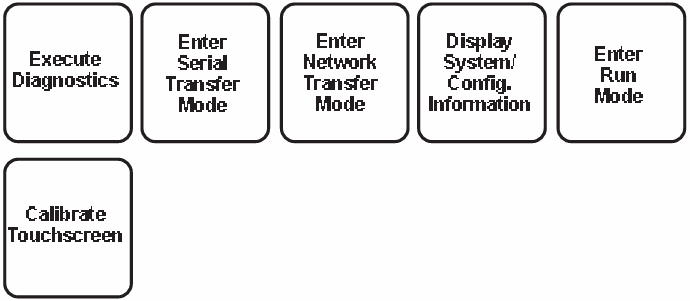
Question: What is the Offline Mode Menu used for?
Answer: The Offline Mode Menu is a built-in utility interface that allows users to access diagnostic, setup, and maintenance functions on the PanelMate unit. In Offline Mode, users can perform operations such as keypad or touchscreen testing, display adjustment, system diagnostics, and other troubleshooting tasks without affecting normal machine operation.
For keypad units, Offline Mode can be entered by pressing the upper two control buttons simultaneously after power-up diagnostics are completed. For touchscreen units, Offline Mode can be accessed by pressing the lower-right corner of the touchscreen during startup.
Question: Do I need to press harder when operating the touchscreen with gloves?
Answer: No. Eaton CUTLER HAMMER 7685T-8 92-02125-00 Cutler Hammer 7685T-10 92-02151-00 7685ST-10 Touch Membrane is designed for both finger and gloved operation and does not require strong actuation force like a mechanical switch. A light touch provides the same response as a heavy press, helping ensure comfortable and reliable operation.
Common misspellings:
CUTLER HAMMER 7685T-6 92-02125-00CUTLER HAMMER 7685T-8 92-02225-00
CUTLER HAMMER 785T-8 92-02125-00
Cutler Hammer 7685T-10 92-021511-00
Cutler Hammer 7685T-10 92-01251-00
Cutler Hammer 7685-10 92-02151-00
7685TS-10
7685ST10
7685ST-110