
- Home
- About us
- Products
- for Siemens
- Agricultural Terminal
- for A-B-B
- Advantech
- Allen Bradley
- AMTouch
- B&R Power Panel
- BECKHOFF HMI operator Repair
- Beijer HMI
- Bosch Rexroth
- Danielson Touch Screen Replacement
- Delem
- Delta
- DMC
- EATON Micro Panel
- ELO Touch Screen Panel
- ESA HMI
- Exor UniOP
- EZ Automation
- Fagor
- Fuji Hakko
- GE Fanuc
- GUNZE Touch Panel
- IDEC
- Koyo
- KUKA SmartPAD
- Lenze
- Microtouch 3M Versatouch touch screen
- Mitsubishi
- Omron
- Panasonic
- Parker
- Proface
- Red Lion
- Robotic Controller
- Schneider
- Sigmatek HMI
- Ventilator Parts
- Weinview
- Other Terminal Brand
- HMI Touch Screen Panel
- Touch Panel Screen Suppliers
- Touch Screen Panel supplier
- Auxiliary Accessories
- LCD Display
- test11
- Faqs
- News
- Certificate
- Contact us
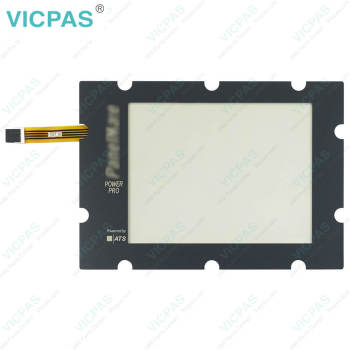
MODICON MM-PMC1-300 OPERATOR INTERFACE 92-00838-02 Modicon Panelmate Plus MM-PMC2-200 92-00597-06 91-00935-00 Touch Panel


- group name
- Cutler-Hammer Panelmate
- Min Order
- 1 piece
- brand name
- VICPAS
- model
- MODICON MM-PMC1-300 OPERATOR INTERFACE 92-00838-02 Modicon Panelmate Plus MM-PMC2-200 92-00597-06 91-00935-00
- Nearest port for product export
- Guangzhou, Hongknog, Shenzhen, Taiwan
- Delivery clauses under the trade mode
- FOB, CFR, CIF, EXW, FAS, CIP, FCA, CPT, DEQ, DDP, DDU, Express Delivery, DAF, DES
- Acceptable payment methods
- T/T, L/C, D/P D/A, MoneyGram, Credit Card, PayPal, Westem Union, Cash, Escrow
- update time
- Sun, 23 Aug 2026 19:26:14 GMT
Paramtents
Product Line Cutler-Hammer Panelmate
Warranty 1 Year
Shipping Time 3-5 Days
Supply Parts Touch Screen Monitor
Environment Free From Corrosive Gases
Touch Type Resistive
Packging & Delivery
-
Min Order1 piece
Briefing
Detailed
MODICON MM-PMC1-300 OPERATOR INTERFACE 92-00838-02 Modicon Panelmate Plus MM-PMC2-200 92-00597-06 91-00935-00 Touch Membrane Replacement
Order each part separately is available
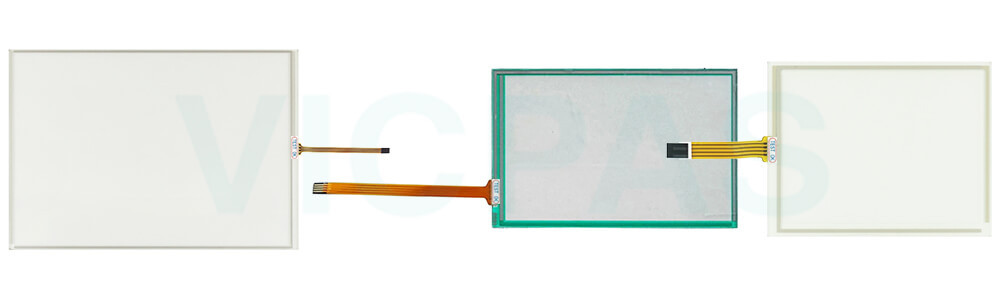
Calibration is recommended when installing and using Cutler Hammer Panelmate MODICON MM-PMC1-300 OPERATOR INTERFACE 92-00838-02 Modicon Panelmate Plus MM-PMC2-200 92-00597-06 91-00935-00 Touch Digitizer Glass purchased from Vicpas. Once you start the calibration process, a crosshair on a red and white target appears in the upper-left corner of the display. While in your normal operating position, touch the crosshairs in the middle of the target. The crosshairs will move to the lower-right corner of the display. Touch the crosshairs again, and the crosshairs will move to the upper-right corner of the display. After touching the upper-right crosshairs, a Check Calibration dialog box will appear, informing you that you have 30 seconds to confirm the calibration. Touch points on the screen to confirm the arrow cursor is tracking as desired and then select YES (if the calibration does not look correct then select NO and re-calibrate the screen until you are satisfied). Once you select YES, you are returned to the Touchscreen Properties dialog box. Close the Touchscreen Properties dialog box by selecting the OK button. The calibration settings will be temporarily saved at this time.
If Cutler Hammer Panels MODICON MM-PMC1-300 OPERATOR INTERFACE 92-00838-02 Modicon Panelmate Plus MM-PMC2-200 92-00597-06 91-00935-00 Touchscreen is not accurate after calibration, please check the following possible causes: contamination such as dust, oil, or moisture on the touch surface may affect accuracy; any protective film should be removed before use; inaccurate operation during calibration may lead to deviation, so please ensure each target is touched precisely; loose or improper cable connections may also impact performance; in addition, strong electromagnetic interference or unstable power supply can affect touch response; finally, please confirm that the replacement Cutler-Hammer MODICON MM-PMC1-300 OPERATOR INTERFACE 92-00838-02 Modicon Panelmate Plus MM-PMC2-200 92-00597-06 91-00935-00 Touch Panel is fully compatible with your device. If the issue persists, please contact Vicpas for technical support.
Specifications:
The table below describes the parameters of MODICON MM-PMC1-300 OPERATOR INTERFACE 92-00838-02 Modicon Panelmate Plus MM-PMC2-200 92-00597-06 91-00935-00 Touch Digitizer Glass.
| Operating Temperature: | 0 °C ... +50 °C |
| Relative Humidity: | 95% |
| Warranty: | 365 Days |
| Brand: | Vicpas |
| Storage Temperature: | -20 °C ... +60 °C |
| Product Line: | Cutler-Hammer Panelmate |
| Environment: | Free From Corrosive Gases |
| Protection: | IP65 |
| Cooling Method: | Natural Air Cooling |
| Shipping Time: | 3-5 Days |
Related Eaton Cutler-Hammer Panelmate Part No. :
| Cutler-Hammer Panelmate HMI | Description | Inventory status |
| Modicon MM-PM21-300 92-00822-00 | Panelmate Membrane Keyboard Replacement | In Stock |
| Modicon PM+ 2000C MM-PM22-400 91-01161-03 | Panelmate Keypad Membrane Repair | Available Now |
| Modicon MM-PM41-300 92-00850-03 | Panelmate Membrane Switch Replacement | In Stock |
| Modicon MM-PM50-4T0 | Panelmate Touch Screen Tablet Repair | Available Now |
| SCHNEIDER ELECTRIC MM-PMA1-100 | Panelmate Touch Digitizer Replacement | In Stock |
| Modicon MM-PMA1-300 92-00806-02 | Panelmate Touch Screen Display Repair | Available Now |
| MODICON MM-PMC1-300 OPERATOR INTERFACE 92-00838-02 | Panelmate Touch Screen Monitor Front Overlay Replacement | In Stock |
| Modicon Panelmate Plus MM-PMC2-200 92-00597-06 91-00935-00 | Panelmate Touch Screen Glass Repair | Available Now |
| MODICON MM-PMC3-00S | Panelmate Touch Screen Panel Replacement | In Stock |
| Modicon MM-PMC3-100 92-00562-00 | Panelmate HMI Touch Glass Repair | Available Now |
| SCHNEIDER ELECTRIC MM-PMT24T0C 92-01625-00 | Panelmate Touchscreen Replacement | In Stock |
| Modicon MM-PMF1-400C 92-00934-00 | Panelmate Touch Screen Monitor Operator Panel Keypad Repair | Available Now |
| SCHNEIDER ELECTRIC MM-PMF2-40SC | Panelmate Operator Keyboard Touch Digitizer Glass Replacement | In Stock |
| SCHNEIDER ELECTRIC MM-PMF2-400 | Panelmate Touch Screen Tablet Switch Membrane Repair | Available Now |
| SCHNEIDER ELECTRIC MM-PMF2-4T0C | Panelmate Terminal Keypad Touch Screen Film Replacement | In Stock |
| Cutler-Hammer Panelmate HMI | Description | Inventory status |
Eaton Cutler-Hammer Panelmate Manuals PDF Download:
FAQ:
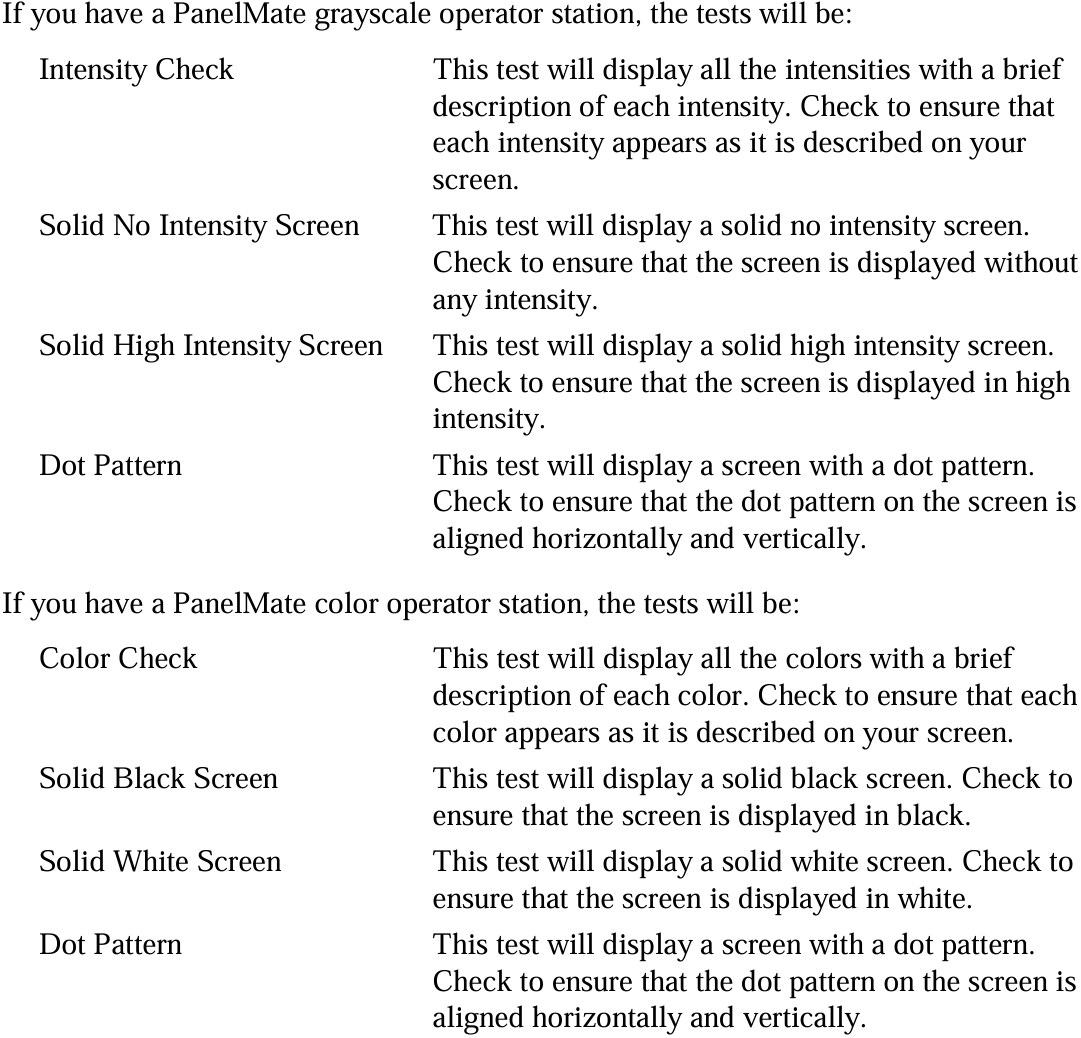
Question: What situations might occur when I perform the Display Tests?
Answer:
Question: What should be avoided when using or cleaning MODICON MM-PMC1-300 OPERATOR INTERFACE 92-00838-02 Modicon Panelmate Plus MM-PMC2-200 92-00597-06 91-00935-00 Touch Screen Tablet?
Answer: Never use foreign objects such as pens, screwdrivers, or other sharp tools to operate the touchscreen. These objects may damage the touch surface and cause unreliable operation or touchscreen failure. When cleaning the touchscreen, avoid using solvents, abrasive cleaners, or other harsh chemical compounds, as they may permanently damage the touchscreen surface. For best results, use appropriate non-abrasive cleaning materials and gentle cleaning methods.
Common misspellings:
MODICON MM-PC1-300 OPERATOR INTERFACE 92-00838-02MODICON MM-PMC1-300 OPERATOR INTERFACE 91-00838-02
MODICON MM-PMC1-300 OPERATOR INTERFACE 92-000838-02
Modicon Panelmate Plus MM-PMC2-200 92-00597-06 91-00359-00
Modicon Panelmate Plus MM-PMC2-200 92-00597-06 91-0095-00
Modicon Panelmate Plus MM-PMC2-200 92-00597-06 91-00935-09