
- Home
- About us
- Products
- for Siemens
- Agricultural Terminal
- for A-B-B
- Advantech
- Allen Bradley
- AMTouch
- B&R Power Panel
- BECKHOFF HMI operator Repair
- Beijer HMI
- Bosch Rexroth
- Danielson Touch Screen Replacement
- Delem
- Delta
- DMC
- EATON Micro Panel
- ELO Touch Screen Panel
- ESA HMI
- Exor UniOP
- EZ Automation
- Fagor
- Fuji Hakko
- GE Fanuc
- GUNZE Touch Panel
- IDEC
- Koyo
- KUKA SmartPAD
- Lenze
- Microtouch 3M Versatouch touch screen
- Mitsubishi
- Omron
- Panasonic
- Parker
- Proface
- Red Lion
- Robotic Controller
- Schneider
- Sigmatek HMI
- Ventilator Parts
- Weinview
- Other Terminal Brand
- HMI Touch Screen Panel
- Touch Panel Screen Suppliers
- Touch Screen Panel supplier
- Auxiliary Accessories
- LCD Display
- test11
- Faqs
- News
- Certificate
- Contact us
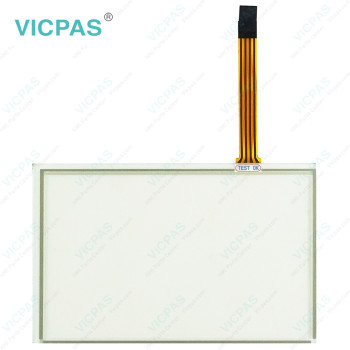
EW600C02N00 Touch Digitizer Glass Replacement


- group name
- EW300 EW600 Panel IPC
- Min Order
- 1 kilogram
- brand name
- VICPAS
- model
- EW600C02N00
- Nearest port for product export
- Guangzhou, Hongknog, Shenzhen, Taiwan
- Delivery clauses under the trade mode
- FOB, CFR, CIF, EXW, FAS, CIP, FCA, CPT, DEQ, DDP, DDU, Express Delivery, DAF, DES
- Acceptable payment methods
- T/T, L/C, D/P D/A, MoneyGram, Credit Card, PayPal, Westem Union, Cash, Escrow
- update time
- Sat, 17 Oct 2026 19:32:45 GMT
Paramtents
Brand Vicpas
Shipping Time 3-5 Days
Warranty 365 Days
Product Line EW600
Supply Touch Screen Film
Touch Type Resistive
Packging & Delivery
-
Min Order1 kilogram
Briefing
Detailed
ESA EW600 EW600C02N00 Touch Screen Monitor Repair
Order each part separately is available
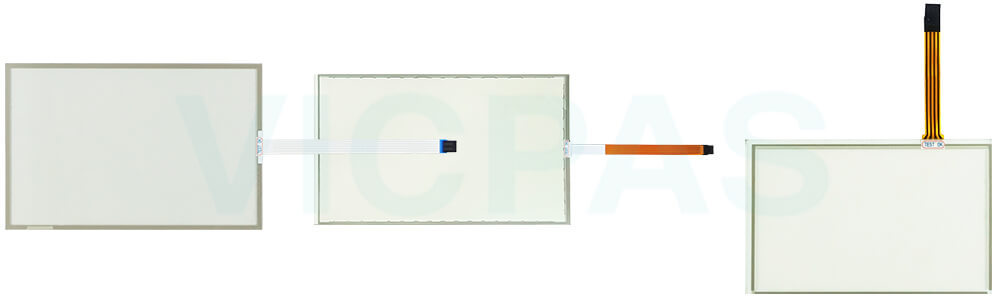
Professional servicing is recommended whenever ESA EW600 EW600C02N00 Touch Digitizer Glass shows signs of damage or abnormal operation. This may include a damaged power cord or connector, liquid contamination, exposure to excessive humidity, operational irregularities, failure to function as expected, or any visible damage resulting from impact, mishandling, or accidental drops. Cracks, broken components, or other physical defects should be inspected and addressed promptly.
If EW600 EW600C02N00 Touch Membrane is taken out of service for an extended period, disconnect it from the power supply and perform a thorough functional check before returning it to operation. Particular attention should be given to the touch screen, display, and front interface components to ensure they remain in good working condition.
To minimize the risk of fire, electric shock, or equipment damage, never allow liquids to enter the enclosure through ventilation slots, openings, or connectors. Users should not attempt to disassemble or modify the unit, as doing so may compromise safety and product reliability. Any repair, inspection, or maintenance work should be carried out only by trained and qualified service personnel.
Following these precautions can help maintain safe operation, extend product lifespan of EW600C02N00 Touch Screen Film and reduce the likelihood of unexpected downtime.
Specifications:
The table below describes the parameters of ESA EW600 EW600C02N00 Touchscreen.
| Brand: | Vicpas |
| Product Line: | EW600 |
| Warranty: | 365 Days |
| Protection: | IP65 |
| Cooling Method: | Natural Air Cooling |
| Operating Temperature: | 0 °C ... +50 °C |
| Shipping Time: | 3-5 Days |
| Relative Humidity: | 95% |
| Storage Temperature: | -20 °C ... +60 °C |
| Environment: | Free From Corrosive Gases |
Related ESA EW600 Part No. :
| ESA EW600 HMI | Description | Inventory status |
| EW600A03A02 | ESA EW600 Touch Screen Display Repair | In Stock |
| EW600B08B04 | ESA EW600 Touch Screen Film Replacement | Available Now |
| EW600C02N00 | ESA EW600 Touch Screen Glass Repair | In Stock |
| EW600D06N00 | ESA EW600 Touch Screen Panel Replacement | Available Now |
| EW600E04N00 | ESA EW600 Touch Screen Tablet Repair | In Stock |
| EW600N00C04 | ESA EW600 Touch Screen Monitor Replacement | Available Now |
| EW600N00E04 | ESA EW600 Touch Digitizer Glass Repair | In Stock |
| ESA EW600 HMI | Description | Inventory status |
ESA HMI Manuals PDF Download:
FAQ:
Question: Can I connect external devices to EW600 series HMI?
Answer: Yes, EW600 series HMIs typically offer various communication ports, such as Ethernet, USB, RS232, or RS485. These ports allow you to connect external devices, such as PLCs, sensors, or other control equipment, for data exchange and system integration.
Question: How to maintain EW600C02N00 Touch Screen Panel?
Answer: To keep EW600C02N00 Touch Screen Film in good operating condition, regularly remove dust and fingerprints using a soft, non-abrasive cloth. Avoid using sharp objects or excessive force on the screen surface, as this may damage the touch-sensitive layer. The touch panel should be installed in a clean, dry environment away from excessive heat, humidity, or corrosive substances. Proper handling and regular inspection can help extend the service life and maintain stable touch performance.
Common misspellings:
EW600C22N00EW600C0200
EW600C02N0O
EW6000C02N00
EW006C02N00